For banks

Receive cleaner mortgage leads with property, buyer, and document context attached.

SuriProp is designed to give banks a structured application queue instead of fragmented email attachments, unclear property context, and late-stage document chasing.

Queued

Applications

Tracked

Documents

Threaded

Messages

Actual app screen
Bank overview
Bank overview
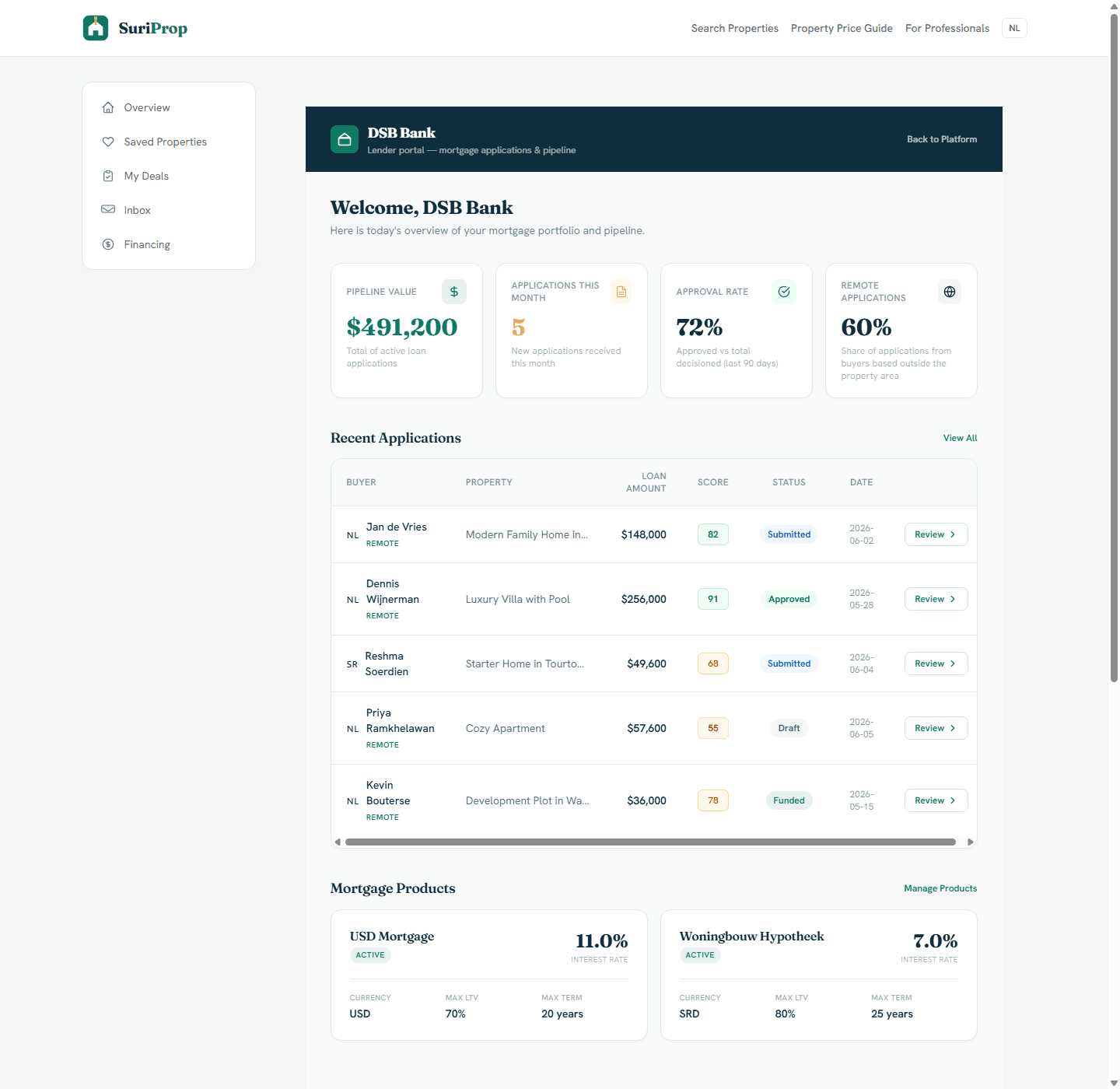
Actual bank overview with pipeline value, applications, approval rate, recent applications, and mortgage products.

Why this is better than the current process

Today

Mortgage interest arrives through calls, email, or branch visits with missing buyer and property data.

With SuriProp

Clearer workflow

The bank dashboard receives a structured application with property price, loan request, income, country, and document status.

Today

Documents are chased across email threads and personal messages.

With SuriProp

Clearer workflow

Salary slips, employer declarations, valuation reports, and land registry extracts are tracked per application.

Today

Banks often do not see what the seller, agent, taxateur, or notary already knows.

With SuriProp

Clearer workflow

The deal context keeps the buyer, seller, listing, and future service partner handoffs visible.

Today

Remote buyers require extra explanation and repeated document requests.

With SuriProp

Clearer workflow

Buyer country and remote status are visible early so requirements can be handled more clearly.

Actual app screen
See mortgage demand as a portfolio
Actual bank overview with pipeline value, applications, approval rate, recent applications, and mortgage products.
Actual app screen
Review applications with buyer and property context
Actual bank application dashboard with buyer, property, loan, document, and status context in one queue.

What this stakeholder actually sees

These are role-specific app surfaces and the controls behind them, using actual routed screens from the current SuriProp app.

Actual app screen
See mortgage demand as a portfolio
Actual bank overview with pipeline value, applications, approval rate, recent applications, and mortgage products.

Bank lender overview

See mortgage demand as a portfolio

Pipeline value

Portfolio

The overview summarizes active loan value, monthly applications, approval rate, and application origin.

Recent applications

Review

Buyer, property, requested loan, affordability score, status, and review action sit in one table.

Mortgage products

Product

Products such as USD mortgage and SRD woningbouw hypotheek are visible with rate, LTV, term, and active state.
Actual app screen
Review applications with buyer and property context
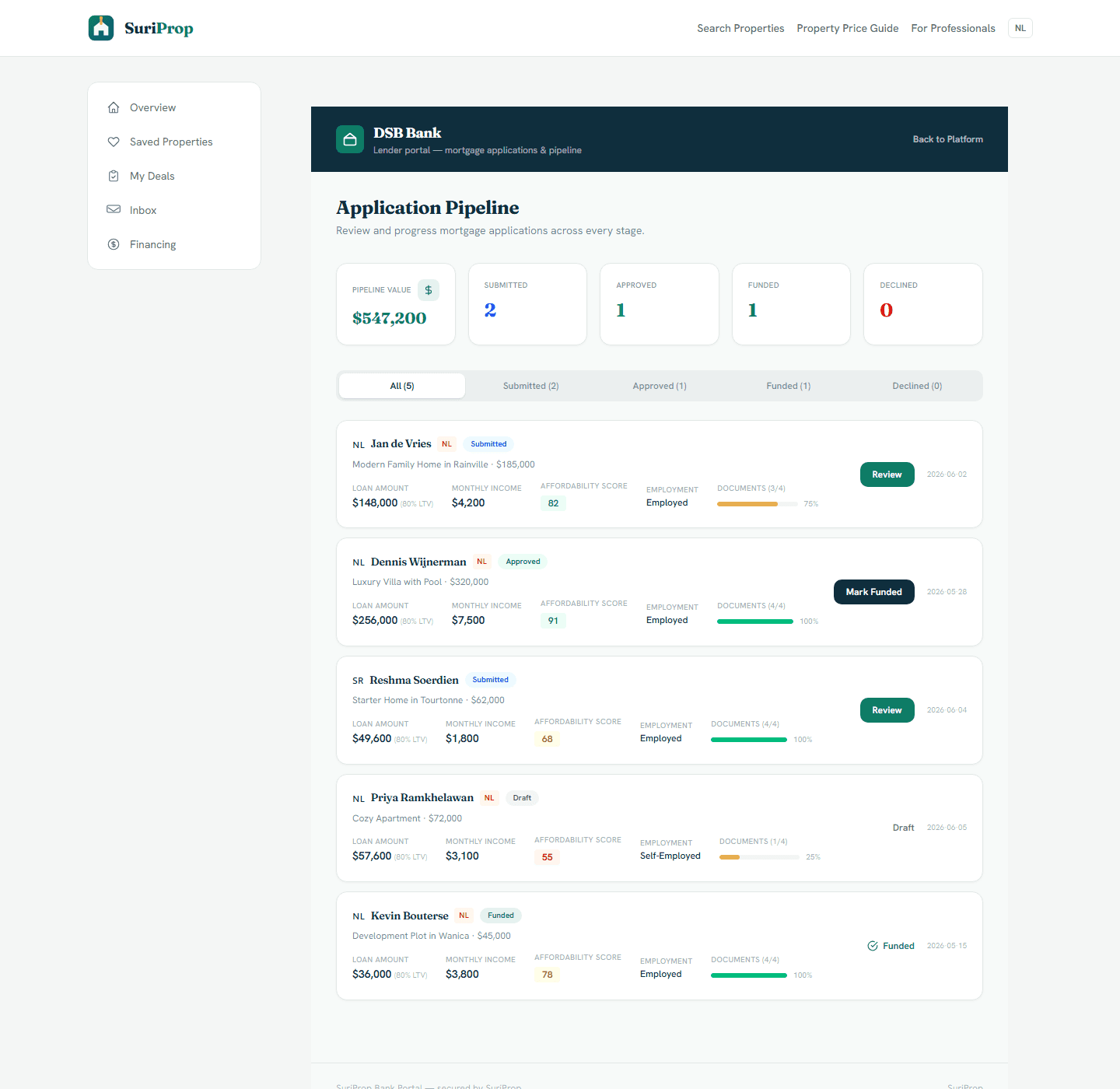
Actual bank application dashboard with buyer, property, loan, document, and status context in one queue.

Bank application pipeline

Review applications with buyer and property context

Application cards

Structured

Each application shows buyer country, buyer name, property, loan amount, LTV, income, score, employment, and document completion.

Status progression

Workflow

Applications are grouped by all, submitted, approved, funded, and declined so bank staff can focus by stage.

Document readiness

Tracked

A document completion bar shows whether salary slip, employer declaration, valuation, and registry extracts are ready.

Actual app screen
Receive better prepared applications
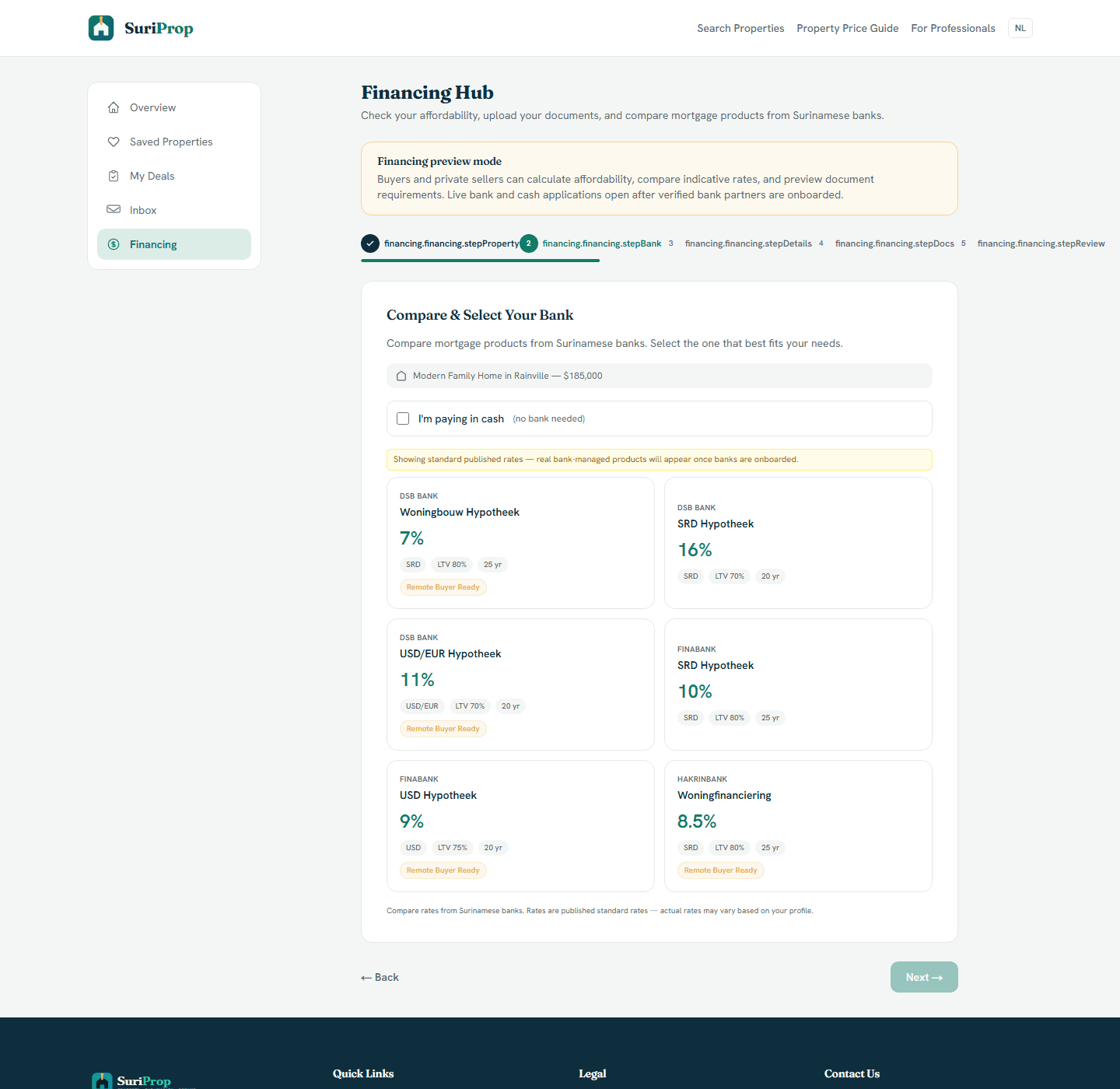
Actual financing hub where buyers compare bank products and prepare affordability information before a live handoff.

Buyer financing flow

Receive better prepared applications

Product comparison

Prepared

Buyers can inspect bank products, currency, interest rate, LTV, term, and max amount before contacting the bank.

Affordability capture

Cleaner

The financing hub gathers income, loan request, country, and document readiness before submission.

Application handoff

Handoff

Once live partners are active, the buyer can send the financing package into the bank dashboard.

Actual app screen
Keep requests attached to the transaction
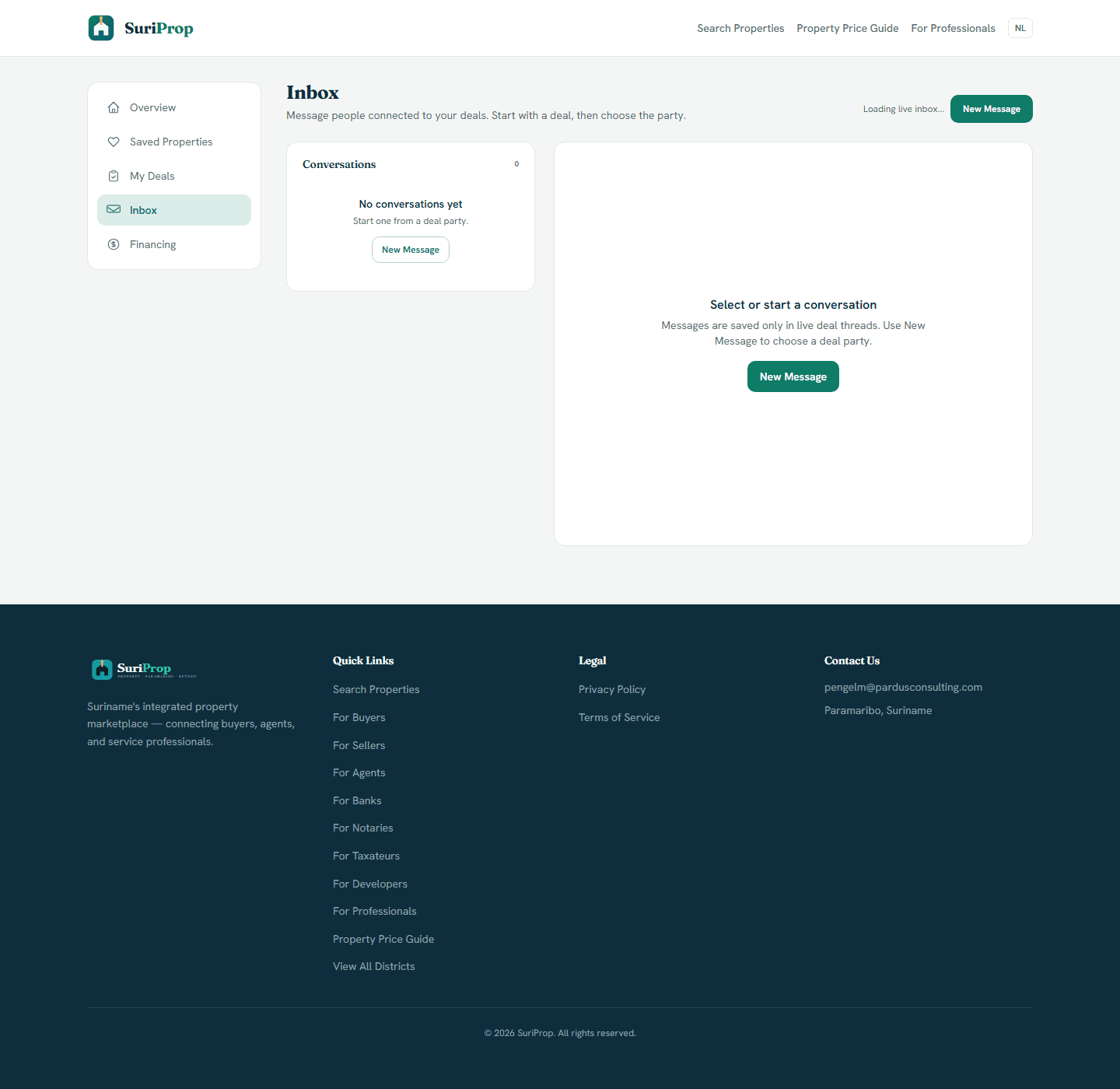
Actual inbox screen for deal-tied messages and party follow-up.

Bank deal follow-up

Keep requests attached to the transaction

Missing items

Request

The bank can ask for employer declarations, valuation reports, or registry extracts in a deal-tied thread.

Status communication

Threaded

Approval, funded, declined, or needs-info updates can notify the right parties without separate side messages.

Deal continuity

Connected

Bank communication remains connected to the property, buyer, and eventual notary or taxateur handoff.

What the dashboard gives you

Bank dashboard with application queue, loan request, affordability score, buyer country, and property context.

Document checklist tied to the financing application instead of a loose email chain.

Inbox thread where the bank can request missing items or confirm next steps.

Status controls for submitted, approved, funded, or declined applications.

Future visibility into valuation and notary progress once those partner handoffs are active.

Connected workflow

How the screens connect

1

See mortgage demand as a portfolio

The overview summarizes active loan value, monthly applications, approval rate, and application origin.

2

Review applications with buyer and property context

Each application shows buyer country, buyer name, property, loan amount, LTV, income, score, employment, and document completion.

3

Receive better prepared applications

Buyers can inspect bank products, currency, interest rate, LTV, term, and max amount before contacting the bank.

4

Keep requests attached to the transaction

The bank can ask for employer declarations, valuation reports, or registry extracts in a deal-tied thread.

Core deal-room structure

The full transaction flow is preview-gated for buyers and sellers until a transaction is eligible, but these are the shared deal surfaces every stakeholder connects into.

Actual app screen
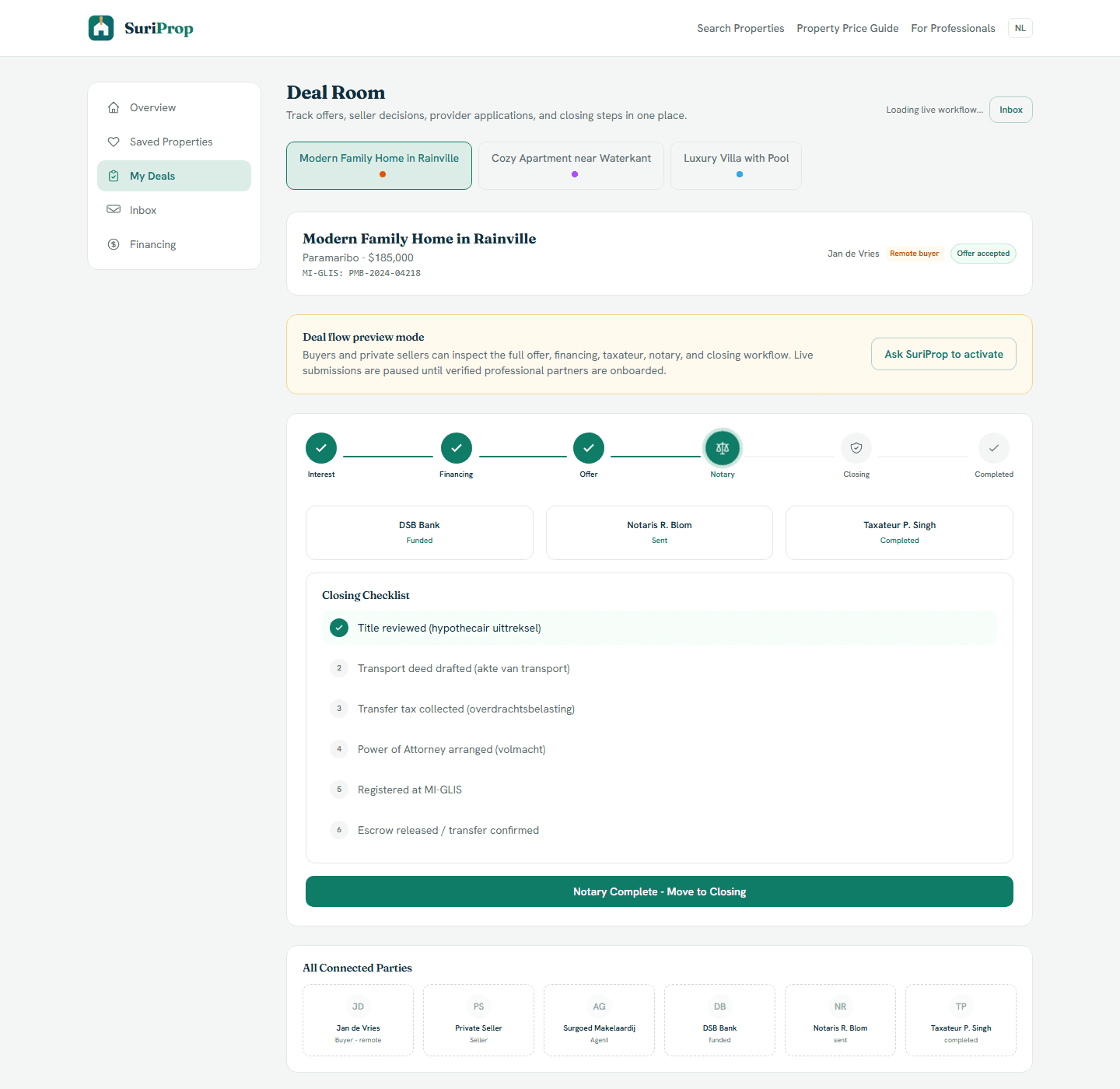
Deal room
Deal room
Actual deal room screen showing preview lock, offer stages, financing, taxateur, notary, inbox, and closing structure.
Actual app screen
Financing hub
Financing hub
Actual financing hub where buyers compare bank products and prepare affordability information before a live handoff.
Actual app screen
Inbox
Inbox
Actual inbox screen for deal-tied messages and party follow-up.

The flow

1

SuriProp verifies the bank partner account and mortgage product setup.

2

Buyers preview affordability and prepare documents before a live submission.

3

A live application lands in the bank dashboard with listing and buyer context.

4

The bank updates status and uses inbox threads to request missing information.

Request bank partner onboarding

Bank access is manually approved so product details, service scope, dashboard users, and external invoicing are agreed before live applications are accepted.

Professional onboarding

Request access to SuriProp

Professional accounts are approved manually and invoiced outside the app.

Requests are sent to pengelm@pardusconsulting.com.