For private sellers

List your Suriname property for free with clearer structure and buyer follow-up.

Private sellers can publish structured listings, receive enquiries, use valuation context, and preview the future offer-to-closing flow without paying for a buyer/seller subscription.

Free

Listing cost

Inbox

Enquiries

Preview

Deal room

Actual app screen
Listing workflow
Listing workflow
Actual listing creation flow for structured property information before publishing.

Why this is better than the current process

Today

Sellers often depend on Facebook posts, WhatsApp forwards, and repeated manual explanations.

With SuriProp

Clearer workflow

A structured listing gives buyers photos, price, district, house size, land size, and parcel context in one place.

Today

It is hard to know which buyers are serious and which messages belong to which property.

With SuriProp

Clearer workflow

Enquiries and inbox threads stay attached to the listing and can later connect into the deal room.

Today

Offer handling can be informal and deadlines are unclear.

With SuriProp

Clearer workflow

The future offer workflow shows a 14-day response window with accept or reject actions.

Today

The notary, bank, and valuation steps often start late and with missing context.

With SuriProp

Clearer workflow

The preview deal room shows how those professional steps will connect when partners are active.

Actual app screen
Create structured property listings
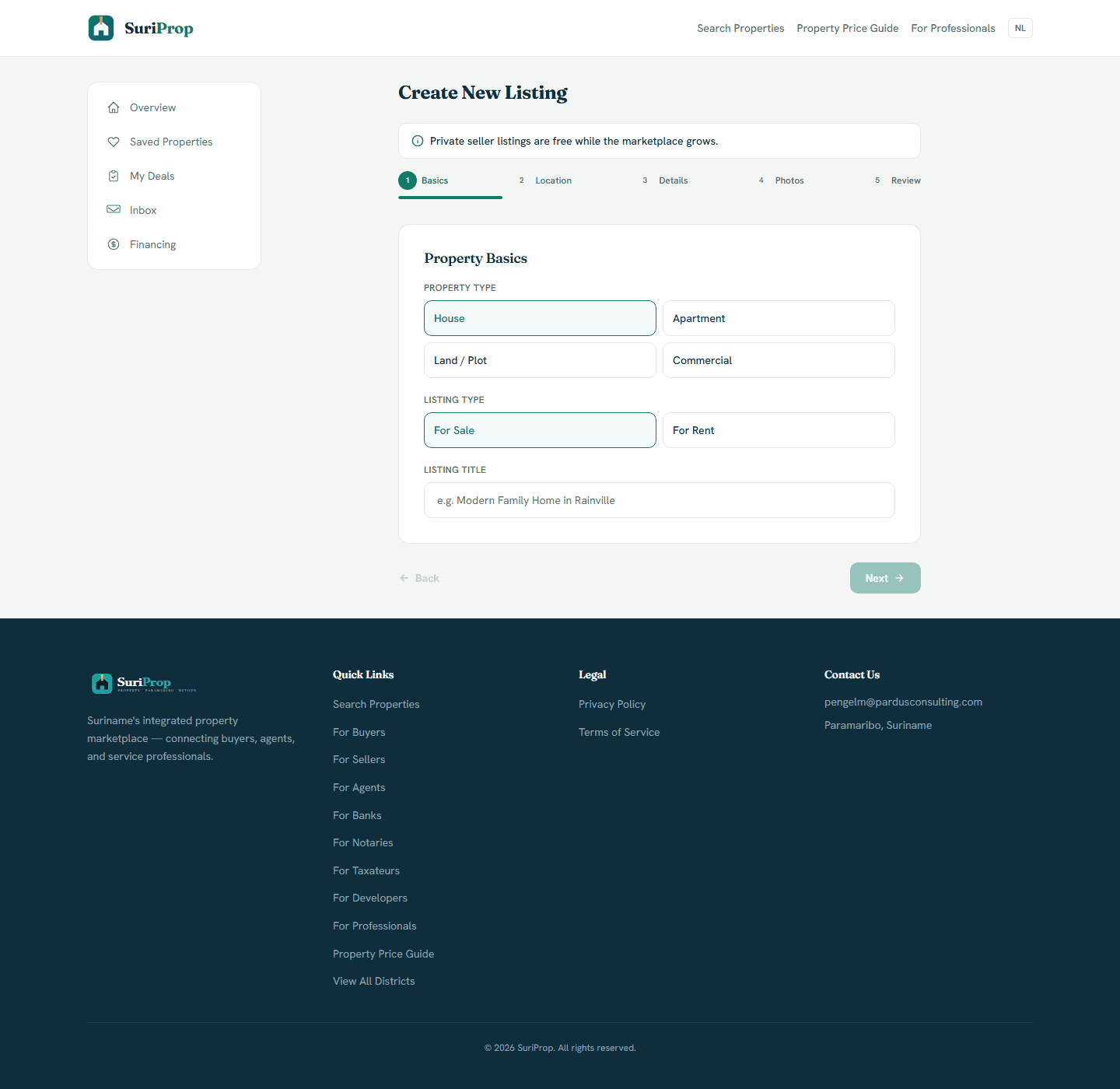
Actual listing creation flow for structured property information before publishing.
Actual app screen
Keep published inventory in one place
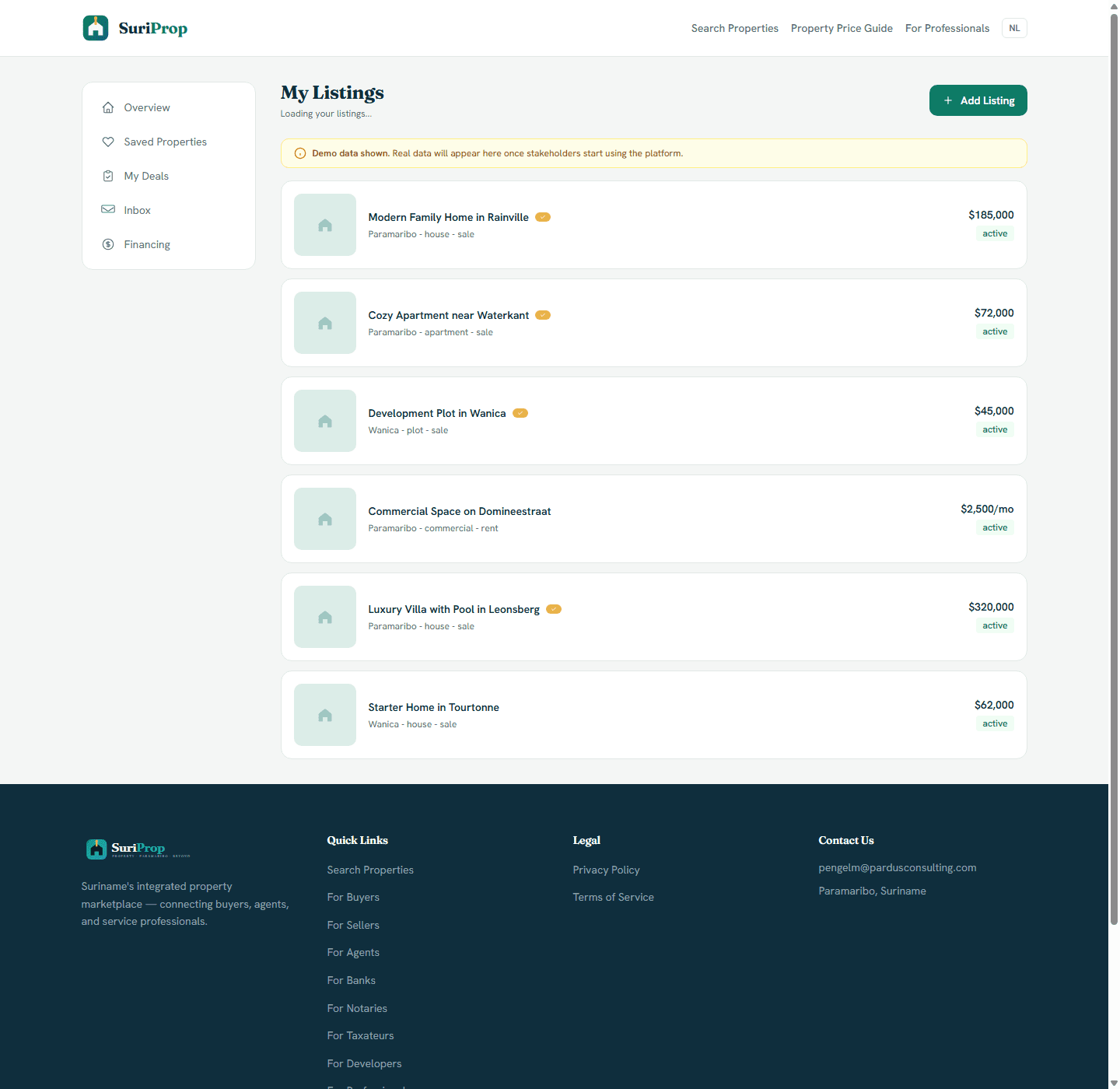
Actual listing management dashboard for published inventory, prices, status, and add-listing workflow.

What this stakeholder actually sees

These are role-specific app surfaces and the controls behind them, using actual routed screens from the current SuriProp app.

Actual app screen
Create structured property listings
Actual listing creation flow for structured property information before publishing.

Seller listing creation

Create structured property listings

Guided entry

Guided

The seller adds price, sale or rent status, property type, district, address, house size, land size, beds, baths, and description.

Parcel fields

Optional

MI-GLIS parcel fields can be added where available without pretending the platform has official title authority.

Buyer-ready listing

Publish

The form creates a searchable listing instead of another unstructured social-media post.
Actual app screen
Keep published inventory in one place
Actual listing management dashboard for published inventory, prices, status, and add-listing workflow.

Seller listing management

Keep published inventory in one place

Inventory list

Live

Sellers can see active listings, prices, districts, property type, listing kind, verification badge, and status.

Add listing path

Ready

The listing management page keeps the add-listing action close to current inventory.

Listing status

Clear

Sellers can see whether each listing is draft, active, verified, under offer, sold, or withdrawn.

Actual app screen
Show buyers the information they ask for repeatedly
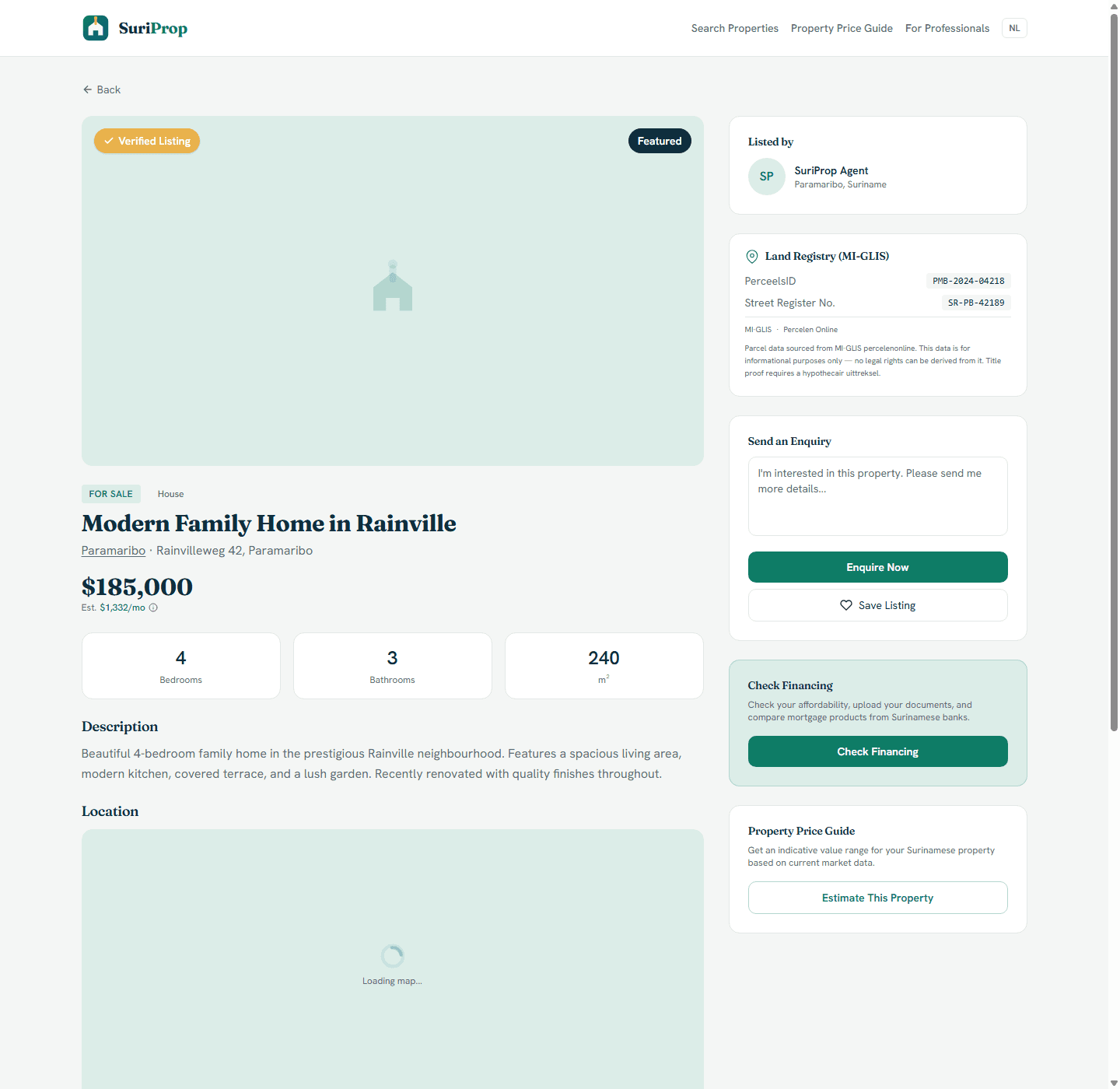
Actual listing detail page with verified status, MI-GLIS parcel context, enquiry, save, financing, and price-guide actions.

Seller public listing

Show buyers the information they ask for repeatedly

Listing package

Public

The public page shows price, location, property specs, description, listed-by details, parcel context, and enquiry controls.

Financing and price guide

Connected

Buyers can check financing and estimate value from the listing before asking basic questions.

Save and enquire

Lead

Interest can be captured from the listing page and later tied to inbox and deal flow.

Actual app screen
Offer response preview
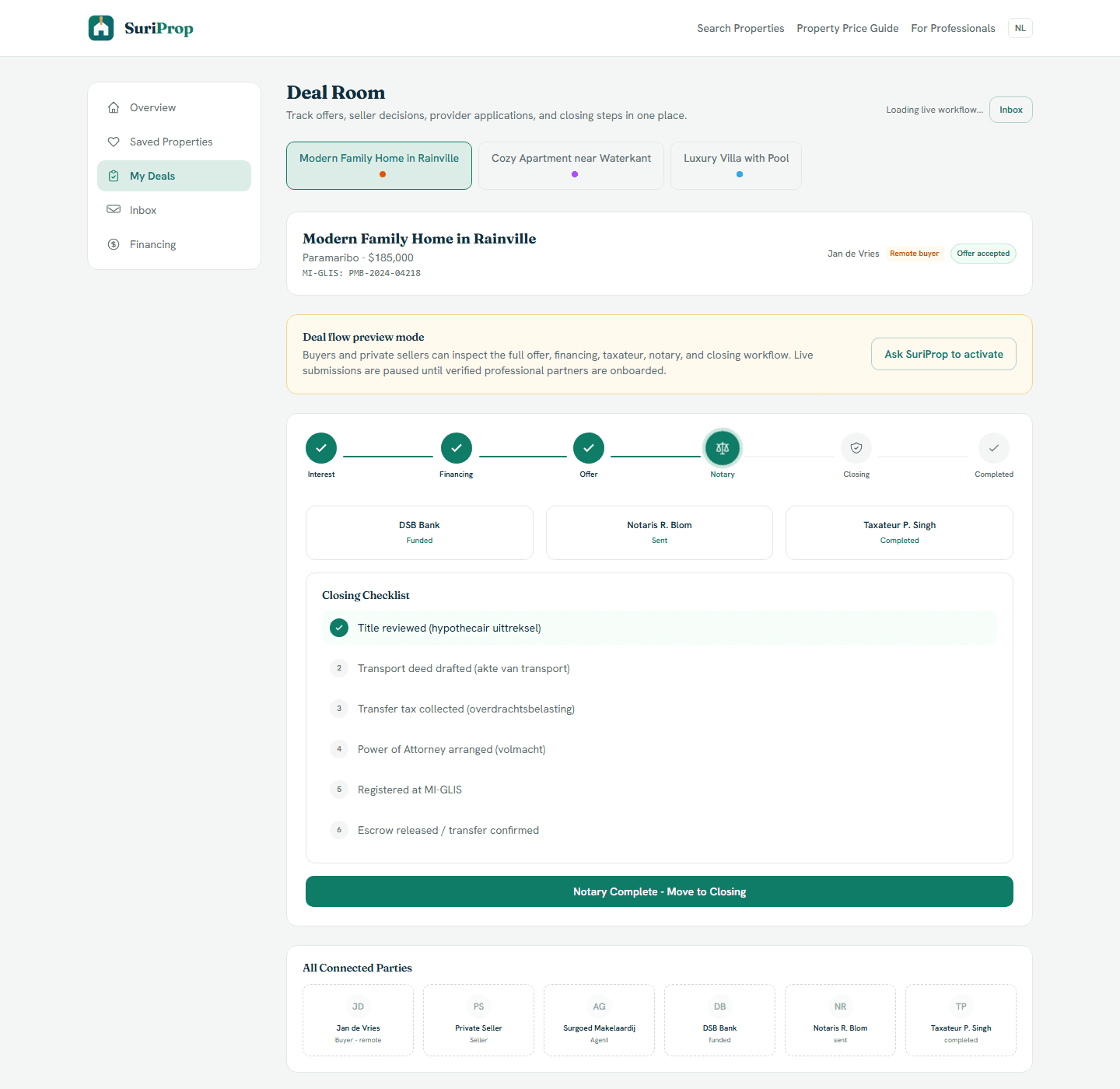
Actual deal room screen showing preview lock, offer stages, financing, taxateur, notary, inbox, and closing structure.

Seller offer decision

Offer response preview

Offer received

14 days

Seller can see amount, message, and expiry date.

Accept or reject

Preview

Decision notifies the buyer and unlocks next steps.

Notary path

Locked

Closing checklist visible before live notary handoff.

What the dashboard gives you

Free private seller listings with structured property details and buyer follow-up tools.

Guided listing wizard for property type, price, location, details, photos, and parcel information.

Valuation context that considers both house size and land size rather than only a rough property price.

Inbox messages tied to the listing so follow-up does not get lost.

Deal-room preview showing the buyer offer, seller response, provider handoffs, and closing path.

Connected workflow

How the screens connect

1

Create structured property listings

The seller adds price, sale or rent status, property type, district, address, house size, land size, beds, baths, and description.

2

Keep published inventory in one place

Sellers can see active listings, prices, districts, property type, listing kind, verification badge, and status.

3

Show buyers the information they ask for repeatedly

The public page shows price, location, property specs, description, listed-by details, parcel context, and enquiry controls.

4

Offer response preview

Seller can see amount, message, and expiry date.

Core deal-room structure

The full transaction flow is preview-gated for buyers and sellers until a transaction is eligible, but these are the shared deal surfaces every stakeholder connects into.

Actual app screen
Deal room
Deal room
Actual deal room screen showing preview lock, offer stages, financing, taxateur, notary, inbox, and closing structure.
Actual app screen
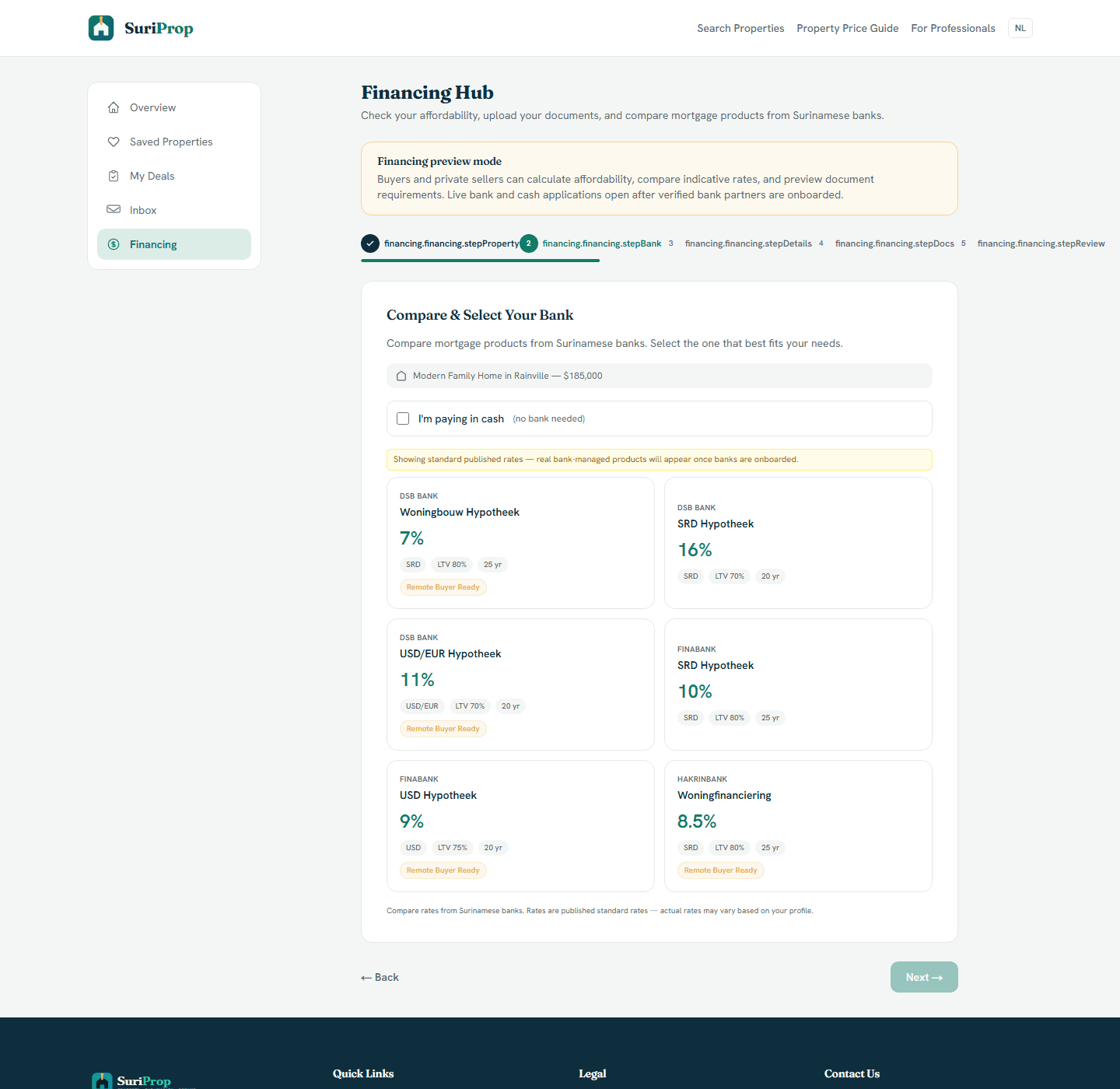
Financing hub
Financing hub
Actual financing hub where buyers compare bank products and prepare affordability information before a live handoff.
Actual app screen
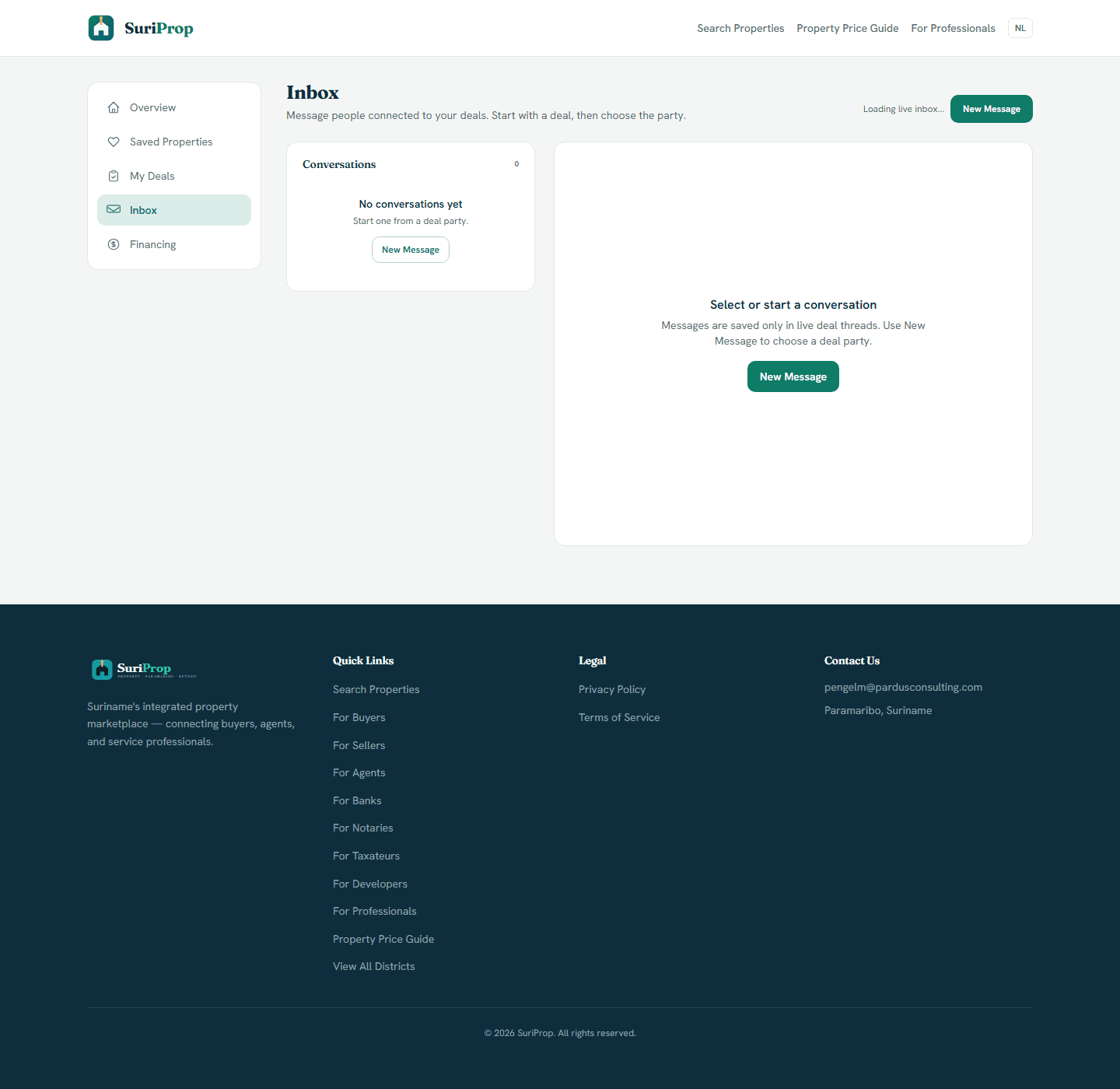
Inbox
Inbox
Actual inbox screen for deal-tied messages and party follow-up.

The flow

1

Create a free seller account and publish a structured listing.

2

Answer buyer enquiries from the dashboard inbox.

3

Use value and financing context to understand buyer readiness.

4

Preview the future deal flow before live professional handoffs are activated.

Start as a seller for free

SuriProp keeps private seller listings free so owners can publish structured property information, receive enquiries, and understand the transaction path before committing to next steps.

Free marketplace access

Start with the buyer and seller market.

Create an account, search listings, list property, save homes, and preview the deal room while professional handoffs are being activated.

Create free account