For taxateurs

Turn valuation requests into structured referrals instead of loose messages.

SuriProp gives taxateurs a referral queue with property specs, land and house context, buyer/bank visibility, document status, and inbox follow-up.

Queued

Referrals

Structured

Property data

Visible

Bank handoff

Actual app screen
Taxateur dashboard
Taxateur dashboard
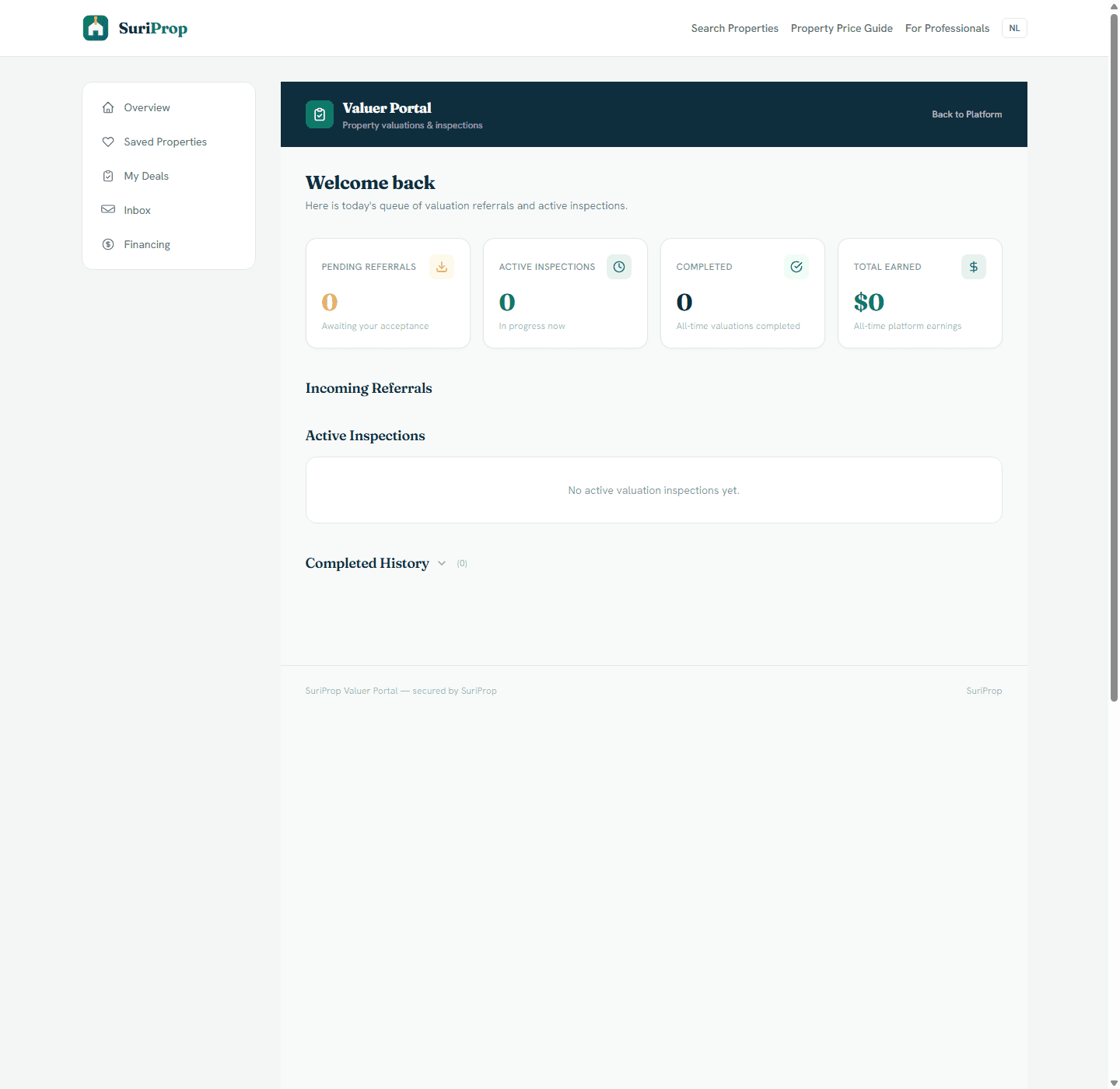
Actual taxateur dashboard for valuation referrals, active inspections, history, and fee tracking.

Why this is better than the current process

Today

Valuation requests often arrive as informal messages with partial photos, address, and buyer context.

With SuriProp

Clearer workflow

The taxateur receives the listing, property type, house size, land size, district, buyer, and deal context together.

Today

The bank may request the valuation separately, creating repeated follow-up.

With SuriProp

Clearer workflow

The selected bank can be visible in the deal so the valuation can support the financing path.

Today

Missing documents and inspection scheduling are coordinated manually.

With SuriProp

Clearer workflow

The inbox thread lets the taxateur request missing items and coordinate next steps inside the application.

Today

Valuation status is unclear to agents, buyers, sellers, and banks.

With SuriProp

Clearer workflow

Referral status can move from selected to sent, accepted, needs info, completed, or declined.

Actual app screen
Referral queue
Referral queue
Actual taxateur dashboard for valuation referrals, active inspections, history, and fee tracking.
Actual app screen
Property package
Property package
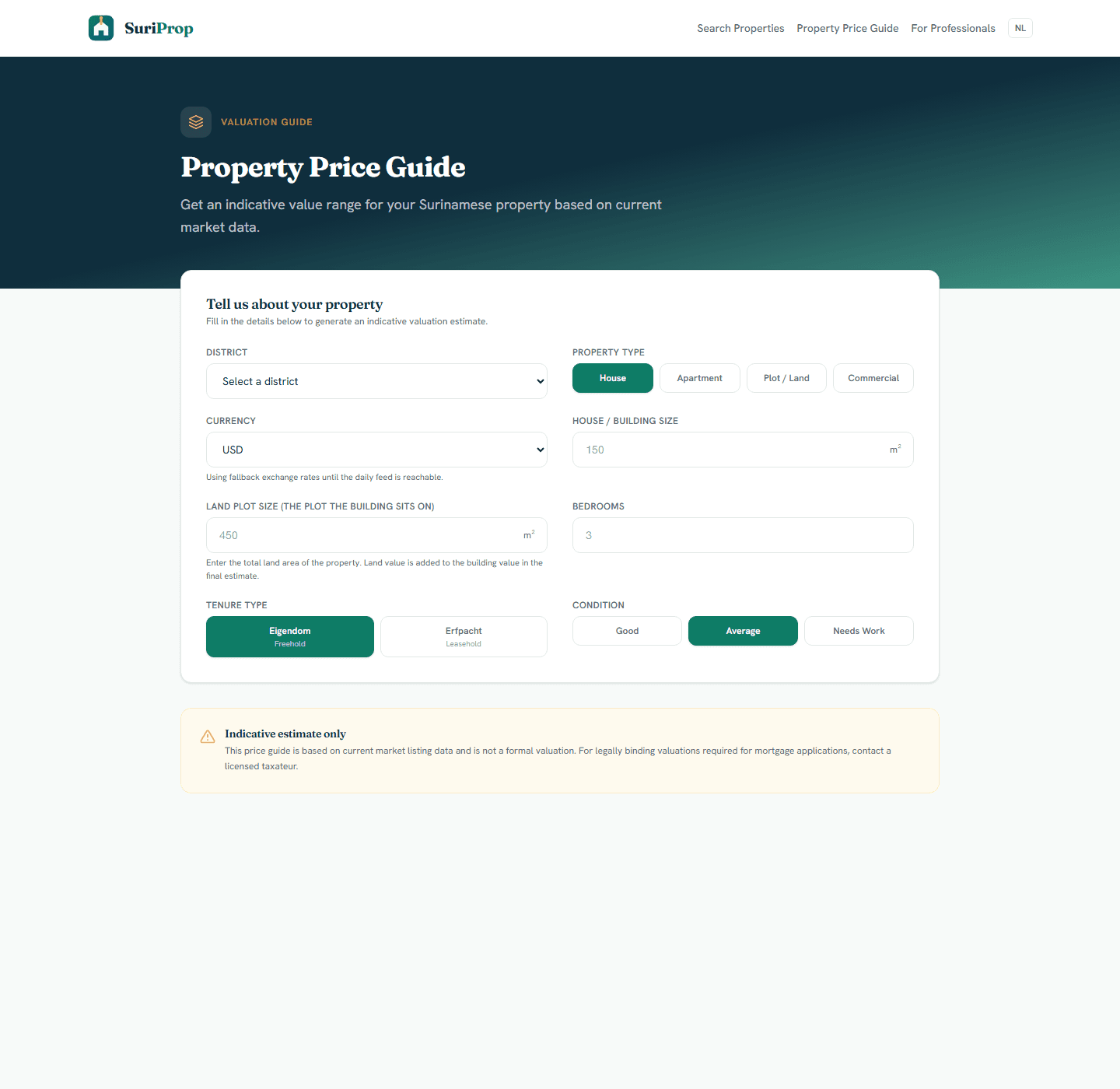
Actual valuation tool with currency selection, house size, land size, tenure, condition, and exchange-rate context.

What this stakeholder actually sees

These are role-specific app surfaces and the controls behind them, using actual routed screens from the current SuriProp app.

Actual app screen
Referral queue
Referral queue
Actual taxateur dashboard for valuation referrals, active inspections, history, and fee tracking.

Taxateur portal

Referral queue

Referral workload

Queue

The portal separates pending referrals, active inspections, completed valuations, and earned fees.

Inspection state

Workflow

Accepted referrals can become active inspections and eventually completed history.

Partner-gated data

Preview

The current screen is live but will become more useful once real valuation referrals enter the database.
Actual app screen
Property package
Property package
Actual valuation tool with currency selection, house size, land size, tenure, condition, and exchange-rate context.

Valuation package

Property package

House plus land

Core

The app separates house/building size from land plot size so valuation context is not reduced to one rough area number.

Currency context

Currency

USD, EUR, and SRD selection helps taxateurs understand the buyer-facing price expectation and conversion context.

Formal valuation boundary

Honest

The tool is clearly positioned as indicative; legally binding valuations still require a licensed taxateur.

Actual app screen
Report coordination
Report coordination
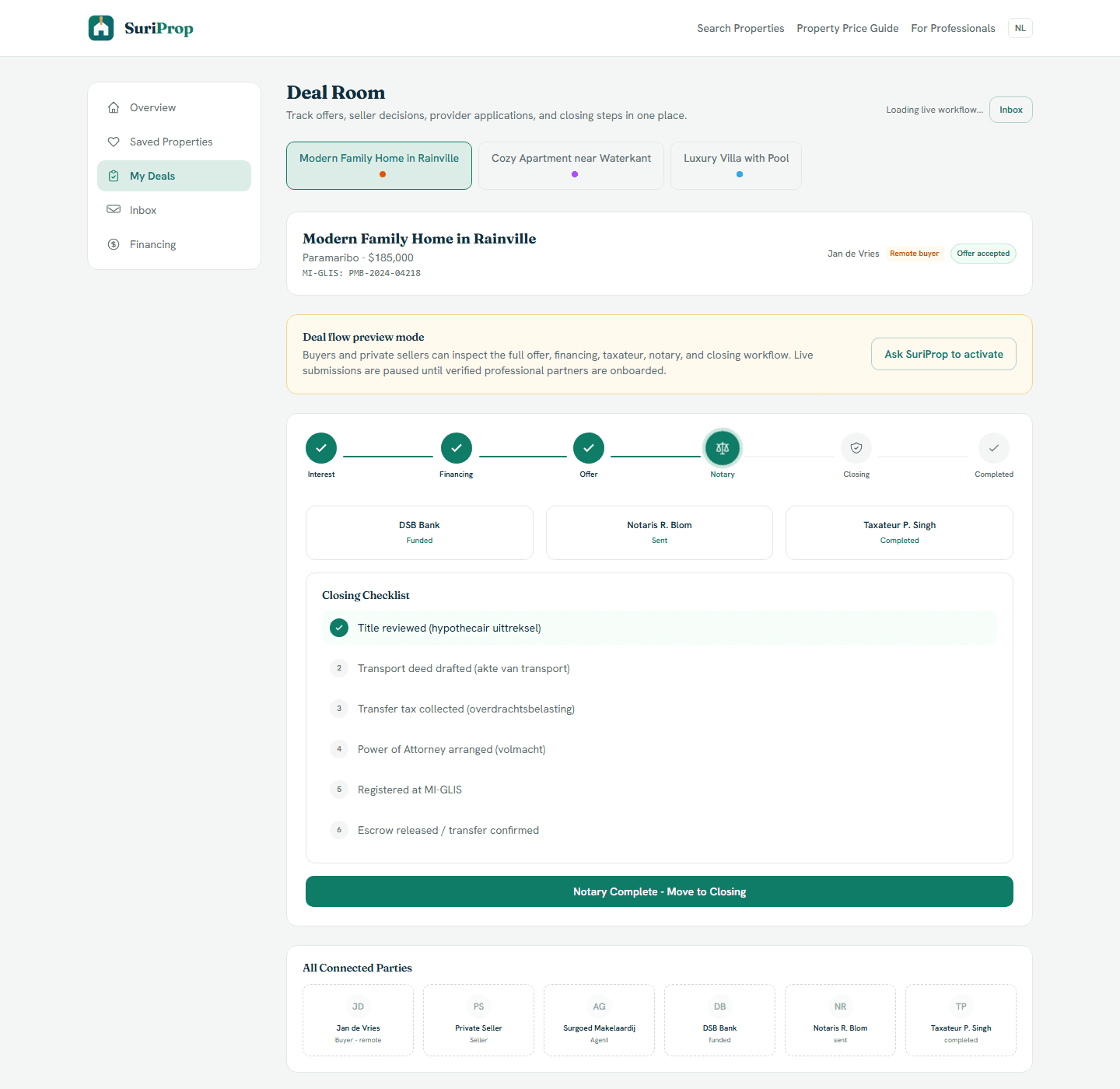
Actual deal room screen showing preview lock, offer stages, financing, taxateur, notary, inbox, and closing structure.

Taxateur deal context

Report coordination

Selection and send step

Handoff

After a taxateur is selected, the buyer can send an application even before every item is complete.

Bank dependency

Visible

The selected bank can see that valuation is underway, reducing duplicate requests for the same report.

Status propagation

Synced

Sent, accepted, needs-info, completed, or declined status can keep the wider deal room aligned.

Actual app screen
Request missing information without losing context
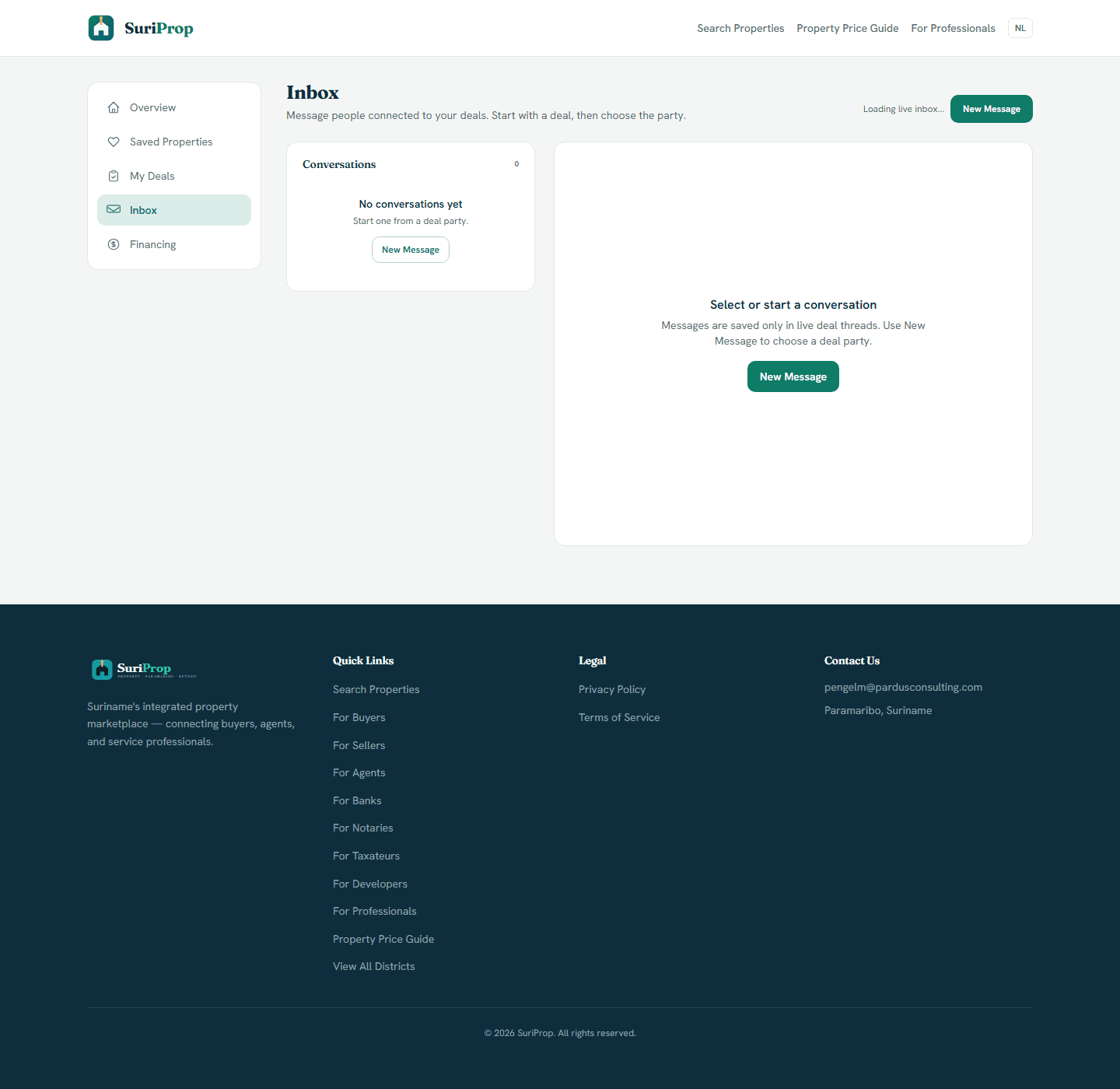
Actual inbox screen for deal-tied messages and party follow-up.

Taxateur inbox

Request missing information without losing context

Missing data

Request

Ask for access instructions, extra photos, title documents, plans, or bank requirements in the application thread.

Connected parties

Threaded

Messages remain tied to the deal and selected parties instead of becoming isolated WhatsApp messages.

Next step clarity

Clear

The buyer, agent, and bank know whether the taxateur is waiting, inspecting, or finished.

What the dashboard gives you

Taxateur dashboard for referral queue, property details, document snapshot, and buyer/agent context.

Valuation request flow designed around both house size and land size rather than property price alone.

Inbox-style communication with buyer, seller, agent, and bank where relevant.

Status updates that keep the rest of the deal room aligned.

Future ability to send completed valuation context back into bank and notary coordination.

Connected workflow

How the screens connect

1

Referral queue

The portal separates pending referrals, active inspections, completed valuations, and earned fees.

2

Property package

The app separates house/building size from land plot size so valuation context is not reduced to one rough area number.

3

Report coordination

After a taxateur is selected, the buyer can send an application even before every item is complete.

4

Request missing information without losing context

Ask for access instructions, extra photos, title documents, plans, or bank requirements in the application thread.

Core deal-room structure

The full transaction flow is preview-gated for buyers and sellers until a transaction is eligible, but these are the shared deal surfaces every stakeholder connects into.

Actual app screen
Deal room
Deal room
Actual deal room screen showing preview lock, offer stages, financing, taxateur, notary, inbox, and closing structure.
Actual app screen
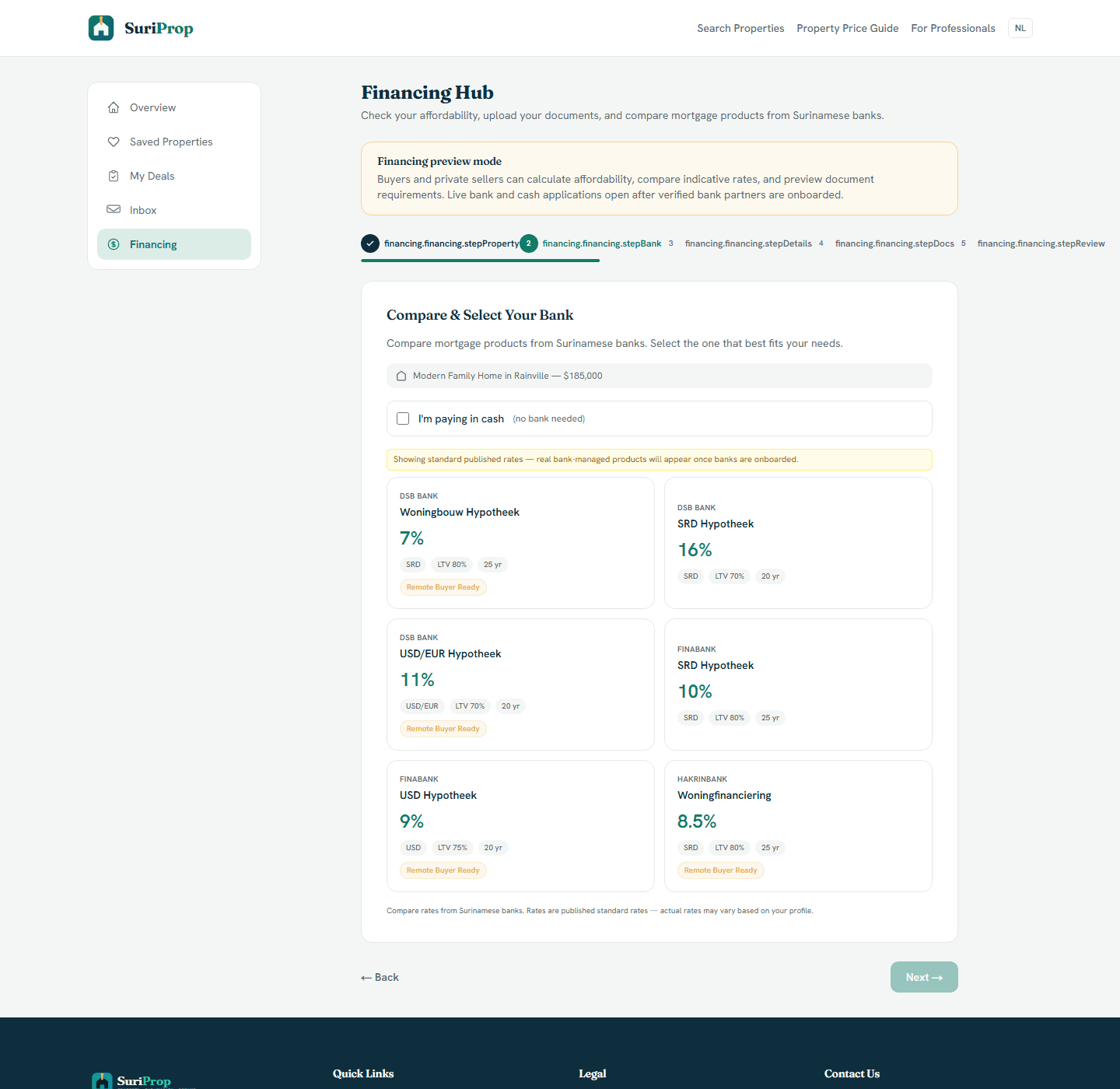
Financing hub
Financing hub
Actual financing hub where buyers compare bank products and prepare affordability information before a live handoff.
Actual app screen
Inbox
Inbox
Actual inbox screen for deal-tied messages and party follow-up.

The flow

1

SuriProp verifies and activates the taxateur partner account.

2

Buyer or agent selects a taxateur after the seller accepts an offer.

3

The referral arrives with property, document, and deal context.

4

The taxateur accepts, requests information, completes, or declines from the dashboard.

Request taxateur onboarding

Taxateur access is manually approved so service area, credentials, dashboard users, and external invoicing are confirmed before live valuation referrals are enabled.

Professional onboarding

Request access to SuriProp

Professional accounts are approved manually and invoiced outside the app.

Requests are sent to pengelm@pardusconsulting.com.