For property developers

Turn new-build projects into structured sales pipelines.

SuriProp gives developers project pages, unit availability, lead capture, buyer qualification, and future deal-room coordination for banks, taxateurs, and notaries.

Microsites

Project pages

Built in

Lead routing

Managed

Setup

Actual app screen
Project page
Project page
Actual project page with developer identity, project description, contact action, and available units.

Why this is better than the current process

Today

Project demand is often captured through brochures, calls, and manually maintained spreadsheets.

With SuriProp

Clearer workflow

Project pages can show units, phases, pricing, buyer enquiries, and lead status in one structured flow.

Today

Remote buyers need repeated explanations, documents, and status updates before they trust a project.

With SuriProp

Clearer workflow

A project page gives them a consistent place to inspect units, ask questions, and save options.

Today

Sales teams manually reconcile which units are reserved, available, or sold.

With SuriProp

Clearer workflow

Unit availability can be managed as a visible dashboard instead of a private spreadsheet.

Today

Financing and closing coordination starts late after buyer interest has already gone cold.

With SuriProp

Clearer workflow

Buyers can preview financing readiness early, then move into the deal room when partners are active.

Actual app screen
Present the project as a structured sales page
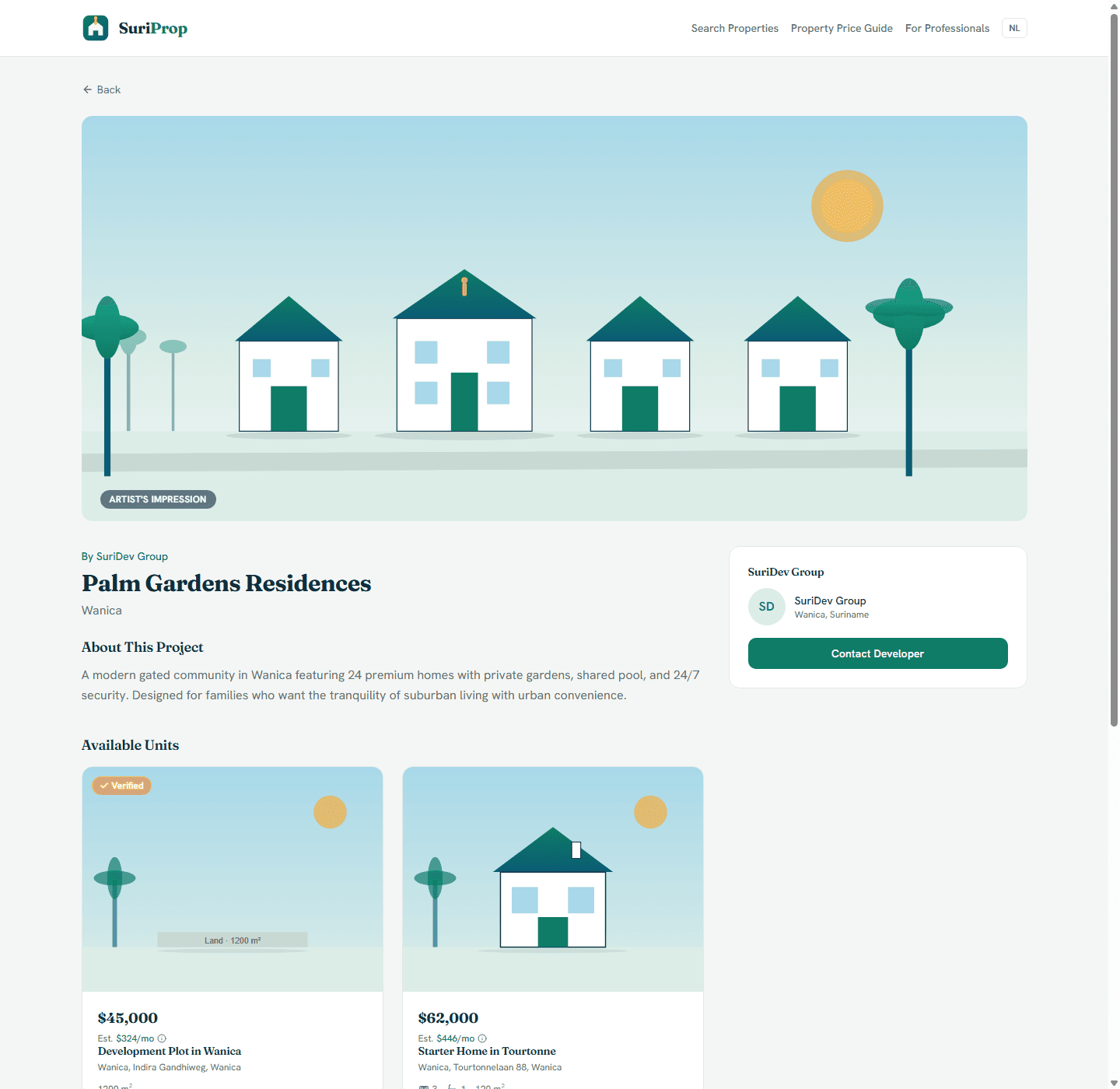
Actual project page with developer identity, project description, contact action, and available units.
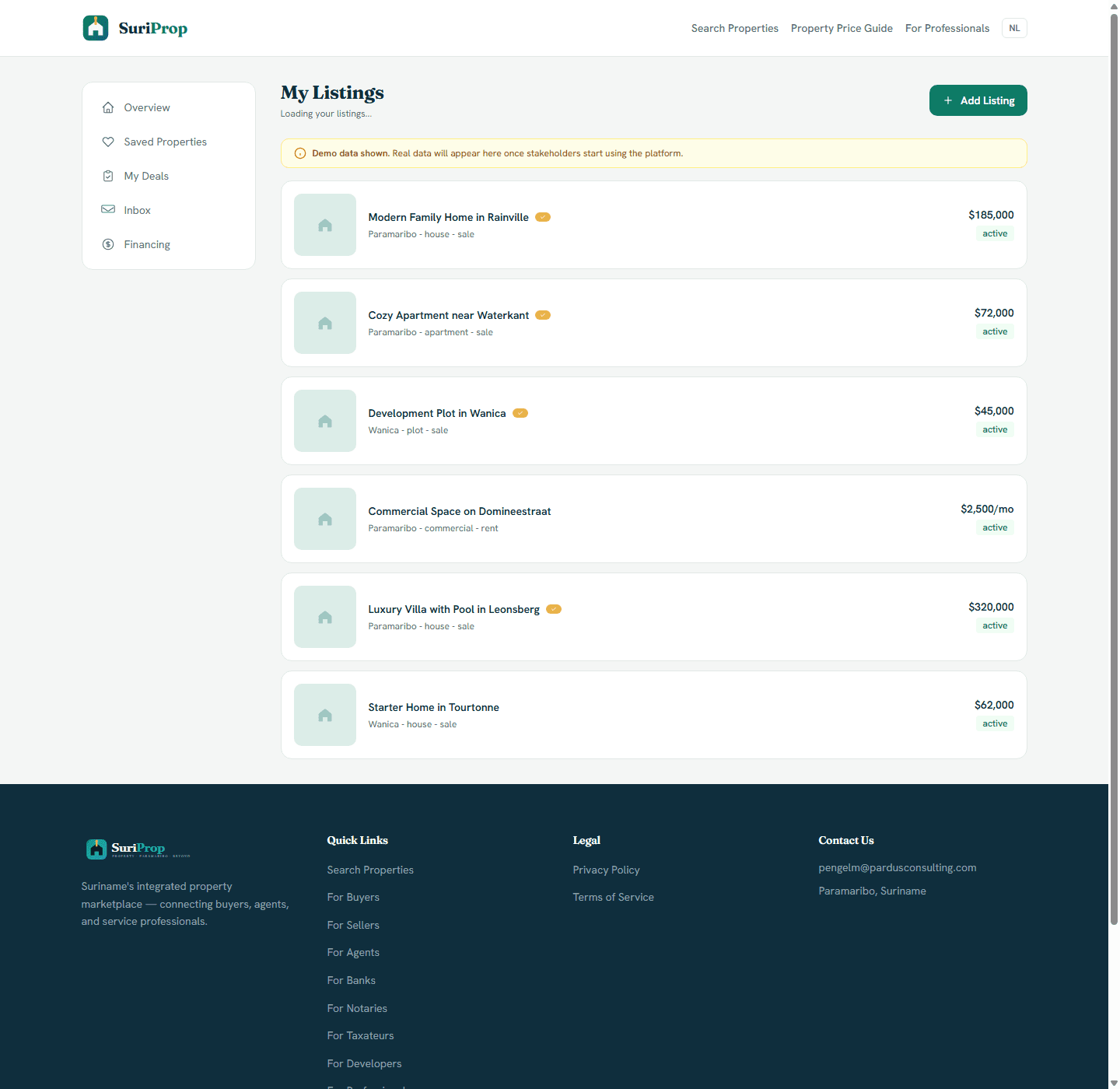
Actual app screen
Availability board
Availability board
Actual listing management dashboard for published inventory, prices, status, and add-listing workflow.

What this stakeholder actually sees

These are role-specific app surfaces and the controls behind them, using actual routed screens from the current SuriProp app.

Actual app screen
Present the project as a structured sales page
Actual project page with developer identity, project description, contact action, and available units.

Developer project page

Present the project as a structured sales page

Project identity

Public

The page gives buyers a project name, developer identity, district, description, and contact action.

Available units

Inventory

Units can be shown directly below the project story instead of sending buyers separate brochures or spreadsheets.

Consistent buyer entry

Lead

Buyers can inspect the project, contact the developer, and compare units within the marketplace.
Actual app screen
Availability board
Availability board
Actual listing management dashboard for published inventory, prices, status, and add-listing workflow.

Developer unit inventory

Availability board

Unit list

Managed

Developer inventory uses the same listing-management structure: title, district, type, sale/rent state, price, and active status.

Launch control

Add

New units can be added through the listing workflow, keeping project and standalone property data consistent.

Status discipline

Planned

Available, active, reserved, or sold units can become visible as structured data instead of private notes.

Actual app screen
Buyer context
Buyer context
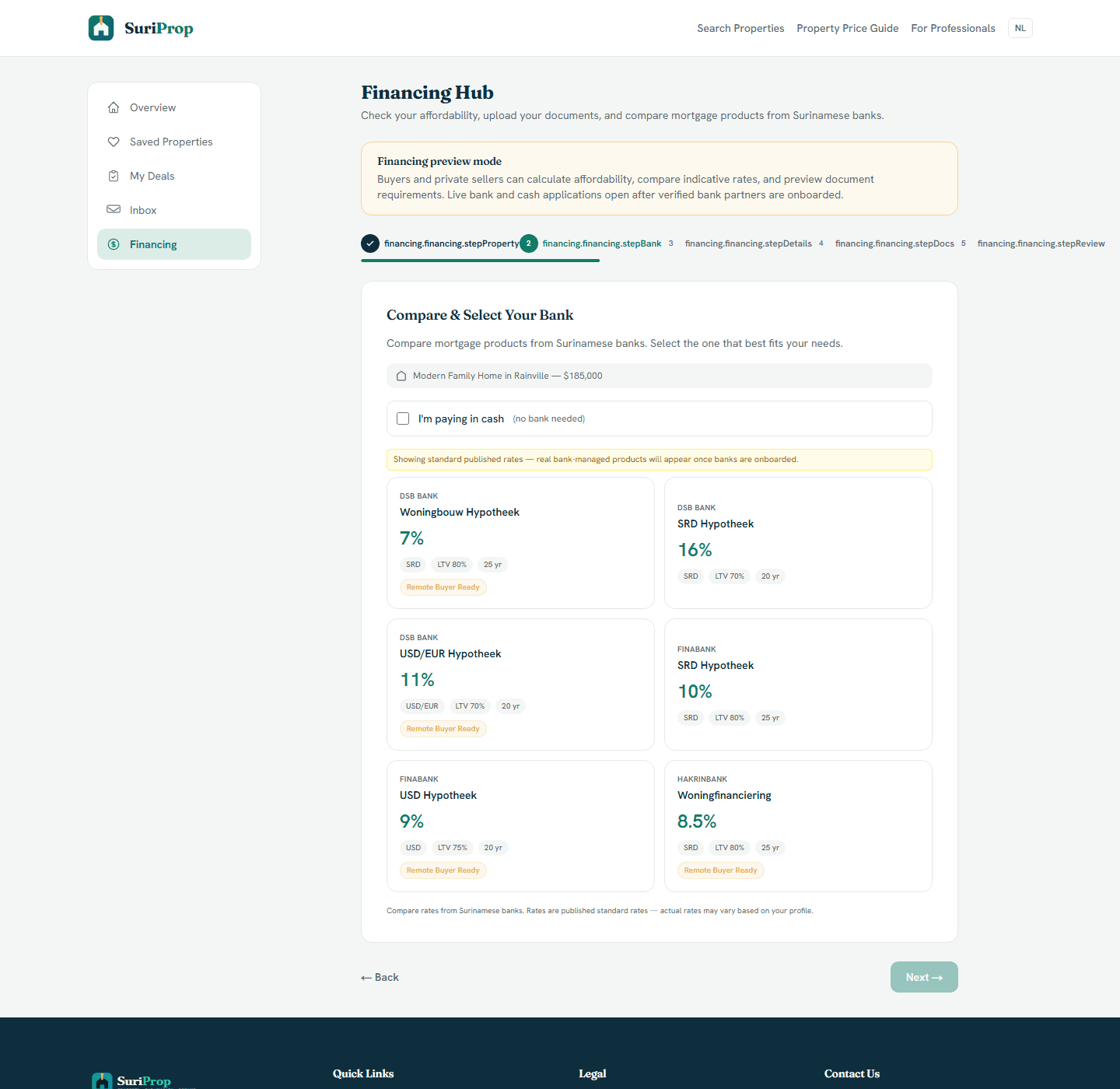
Actual financing hub where buyers compare bank products and prepare affordability information before a live handoff.

Developer buyer qualification

Buyer context

Financing readiness

Qualified

Buyers can compare mortgage products and prepare affordability context before a unit reservation discussion.

Document expectation

Prepared

The same financing checklist tells buyers what banks are likely to request before the developer spends time on cold leads.

Deal-room path

Next

Qualified buyers can later move from project/unit interest into the same offer and closing workflow.

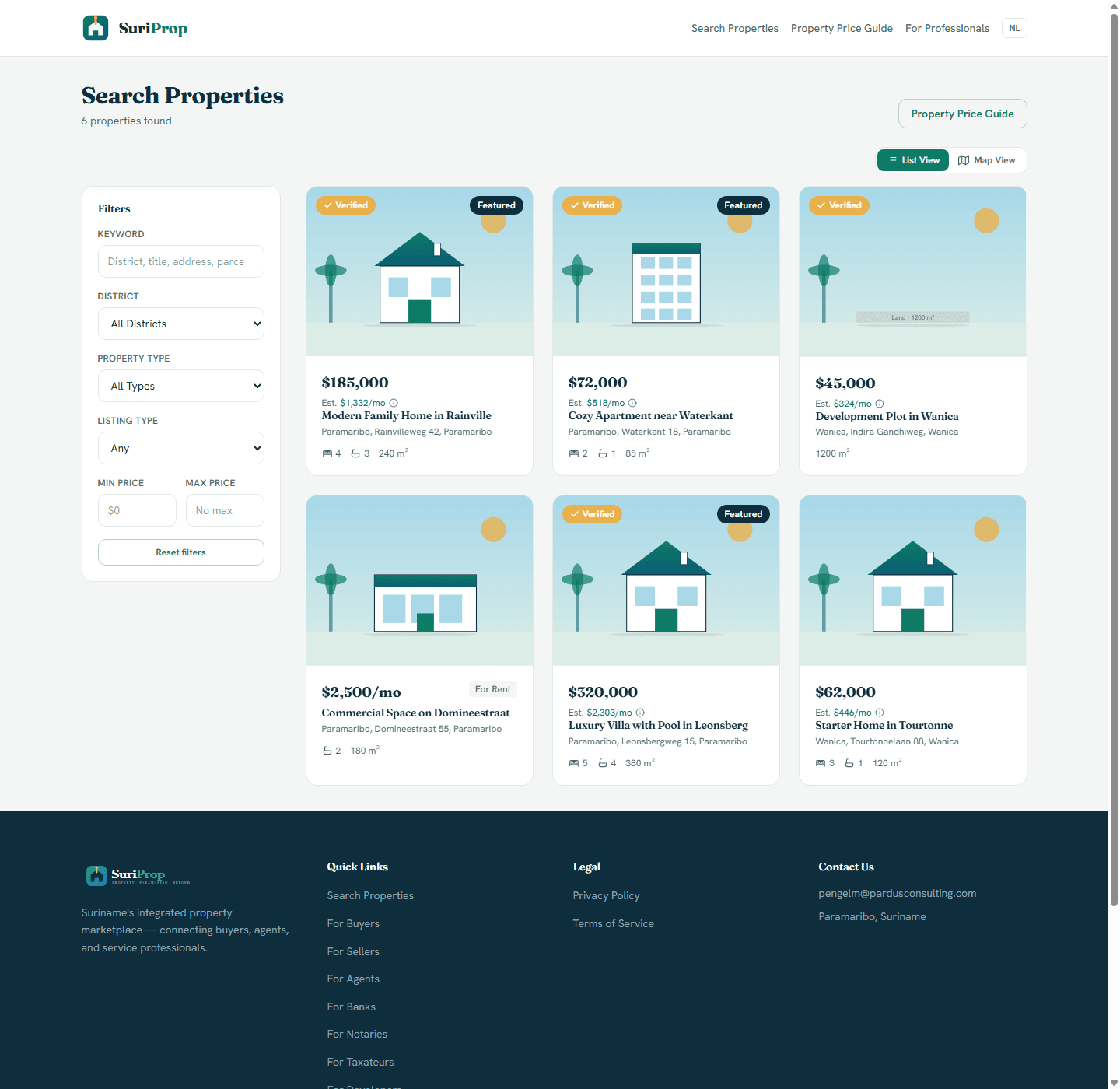
Actual app screen
Make project units discoverable
Actual marketplace screen with listing filters, verified cards, sale and rental inventory, and the price guide entry point.

Developer marketplace presence

Make project units discoverable

Search visibility

Discover

Project units appear beside normal marketplace inventory, so buyers do not need to know the developer first.

Verified structure

Compare

Cards show price, estimated monthly amount, specs, and verified labels in the same format as other listings.

Buyer route

Connected

Search can lead to project page, listing detail, enquiry, financing preview, and eventually deal-room coordination.

What the dashboard gives you

Dedicated project pages with images, unit details, pricing, and phase information.

Lead capture tied to the exact project or unit a buyer asks about.

Developer dashboard for availability, enquiry volume, and buyer follow-up.

Clear project information for buyers comparing from Suriname or abroad.

Future coordination with bank, taxateur, and notary partners once the network is activated.

Connected workflow

How the screens connect

1

Present the project as a structured sales page

The page gives buyers a project name, developer identity, district, description, and contact action.

2

Availability board

Developer inventory uses the same listing-management structure: title, district, type, sale/rent state, price, and active status.

3

Buyer context

Buyers can compare mortgage products and prepare affordability context before a unit reservation discussion.

4

Make project units discoverable

Project units appear beside normal marketplace inventory, so buyers do not need to know the developer first.

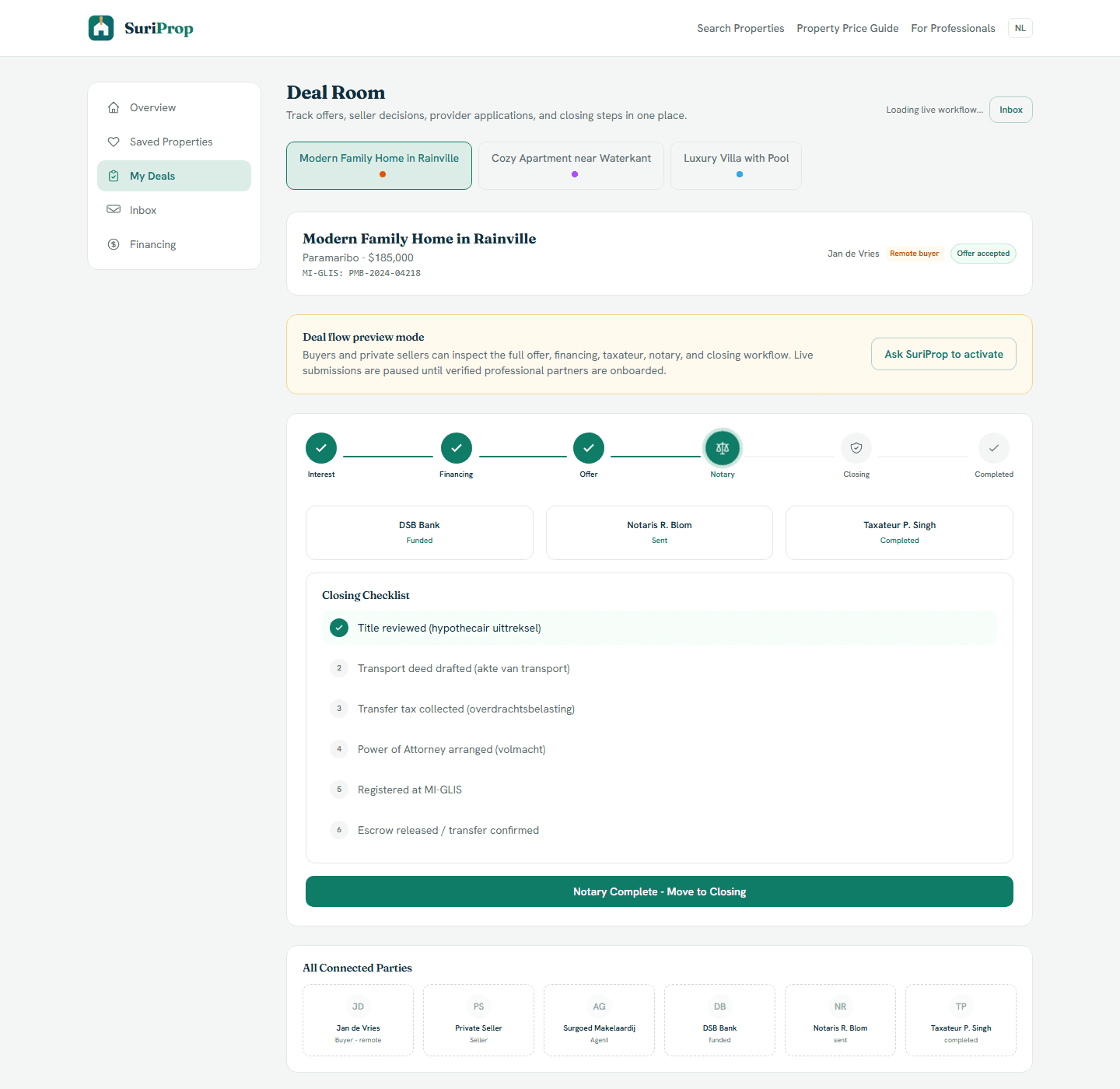
Core deal-room structure

The full transaction flow is preview-gated for buyers and sellers until a transaction is eligible, but these are the shared deal surfaces every stakeholder connects into.

Actual app screen
Deal room
Deal room
Actual deal room screen showing preview lock, offer stages, financing, taxateur, notary, inbox, and closing structure.
Actual app screen
Financing hub
Financing hub
Actual financing hub where buyers compare bank products and prepare affordability information before a live handoff.
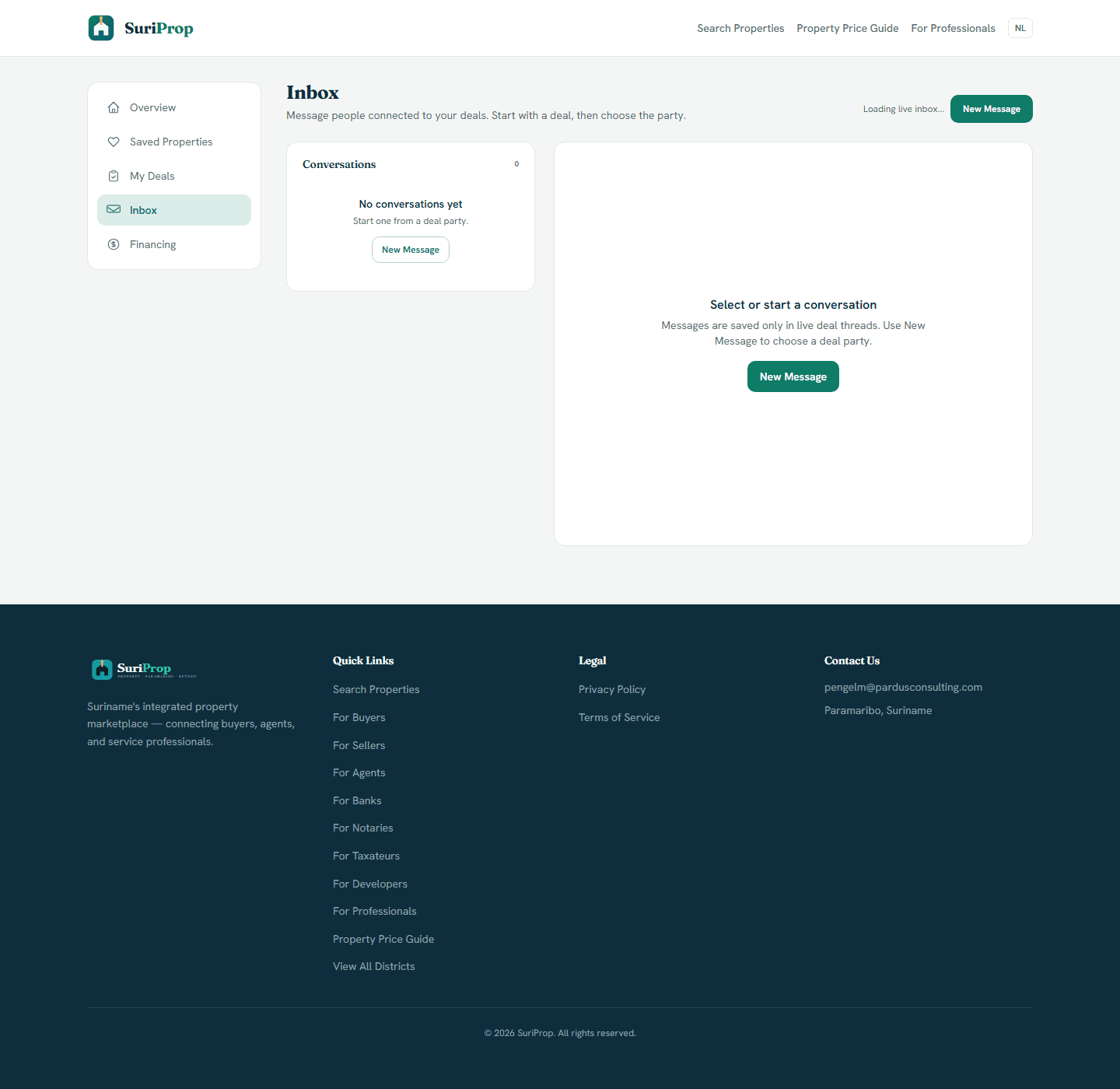
Actual app screen
Inbox
Inbox
Actual inbox screen for deal-tied messages and party follow-up.

The flow

1

SuriProp configures the developer profile and first project page.

2

Units, prices, media, and availability are uploaded or imported.

3

Buyer enquiries route into the developer dashboard and inbox.

4

Qualified buyers can move into financing preview and deal-room coordination.

Request managed developer onboarding

Developer access is configured around your project inventory, media, pricing model, team routing, and invoice arrangement before launch.

Professional onboarding

Request access to SuriProp

Professional accounts are approved manually and invoiced outside the app.

Requests are sent to pengelm@pardusconsulting.com.