For buyers

Search Suriname property with clearer data and a visible path to closing.

SuriProp helps buyers compare listings, save homes, preview affordability, estimate value, and understand how a deal moves from offer to notary.

Free

Access

Search + value

Tools

Preview

Deal room

Actual app screen
Marketplace search
Marketplace search
Actual marketplace screen with listing filters, verified cards, sale and rental inventory, and the price guide entry point.

Why this is better than the current process

Today

Buyers often compare screenshots, social posts, and agent messages with inconsistent data.

With SuriProp

Clearer workflow

Search, save, compare, and revisit structured listing information from one account.

Today

Remote buyers struggle to understand location, price, affordability, and next steps before they can inspect everything in person.

With SuriProp

Clearer workflow

The buyer dashboard keeps saved properties, valuation context, financing preview, and inbox messages together.

Today

It is unclear when an offer expires, who needs documents, and what happens after acceptance.

With SuriProp

Clearer workflow

The deal room shows the offer gate, 14-day seller response window, financing, taxateur, notary, and closing stages.

Today

Professional handoffs depend on personal introductions and scattered messages.

With SuriProp

Clearer workflow

Verified banks, taxateurs, and notaries can work from the same transaction context when a live deal is eligible.

Actual app screen
Search and compare real inventory
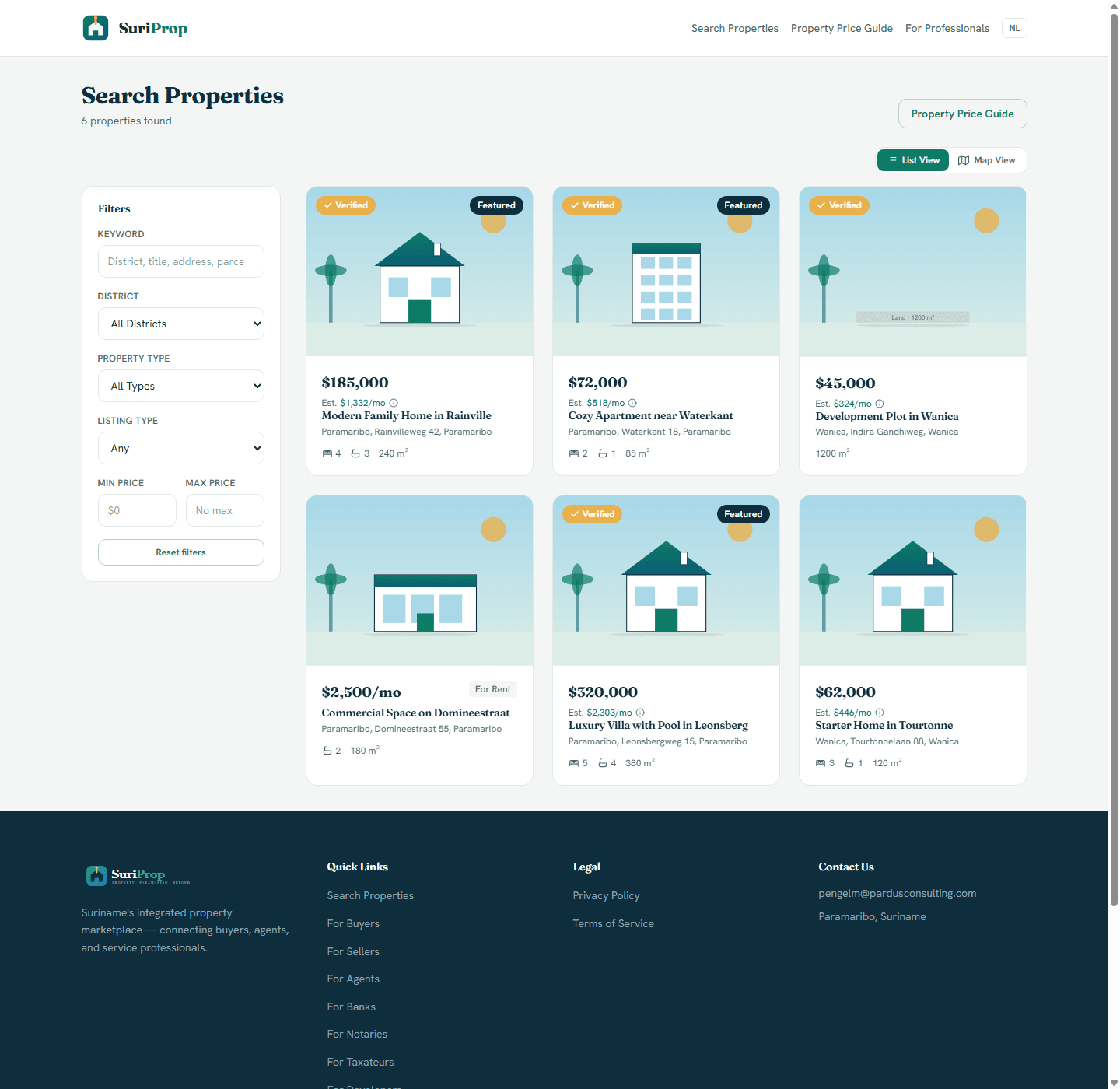
Actual marketplace screen with listing filters, verified cards, sale and rental inventory, and the price guide entry point.
Actual app screen
Inspect a property before contacting anyone
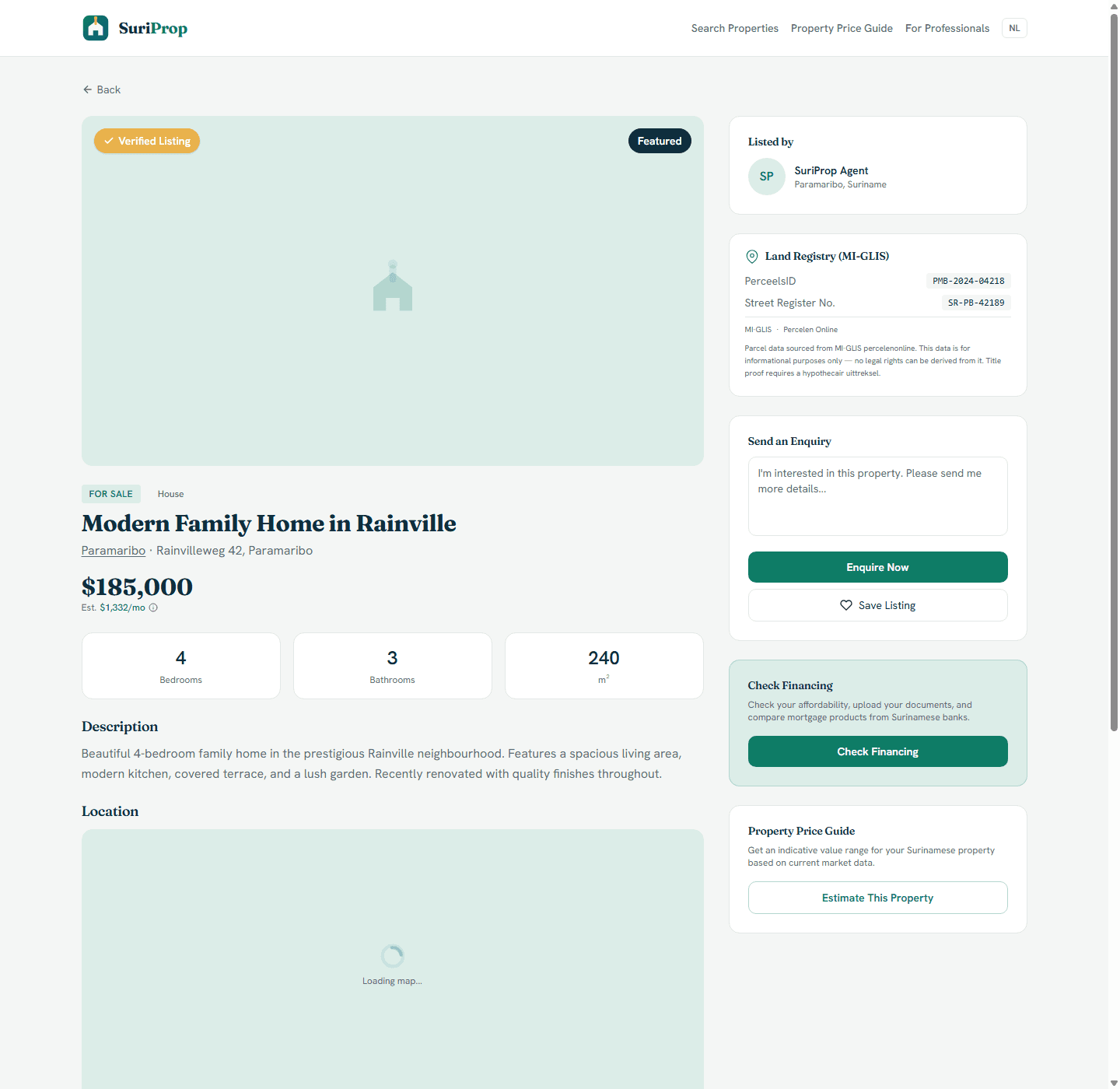
Actual listing detail page with verified status, MI-GLIS parcel context, enquiry, save, financing, and price-guide actions.

What this stakeholder actually sees

These are role-specific app surfaces and the controls behind them, using actual routed screens from the current SuriProp app.

Actual app screen
Search and compare real inventory
Actual marketplace screen with listing filters, verified cards, sale and rental inventory, and the price guide entry point.

Buyer search surface

Search and compare real inventory

Structured filters

Live

Buyers can narrow by district, property type, listing type, price, bedrooms, and public listing status.

Verified cards

Visible

Listing cards show price, estimated monthly cost, property specs, verified badges, and saveable inventory.

Market entry point

Connected

The price guide is one click away from search so buyers can sanity-check asking prices before enquiring.
Actual app screen
Inspect a property before contacting anyone
Actual listing detail page with verified status, MI-GLIS parcel context, enquiry, save, financing, and price-guide actions.

Buyer listing detail

Inspect a property before contacting anyone

Property package

Review

The detail page combines price, location, bedrooms, bathrooms, area, description, map, and listed-by context.

MI-GLIS context

Shown

Where parcel details exist, the buyer sees parcel ID, street register number, and the legal caution around title proof.

Action cluster

Ready

Enquire, save, check financing, and estimate this property are grouped on the same page instead of scattered.

Actual app screen
Understand value and affordability before an offer
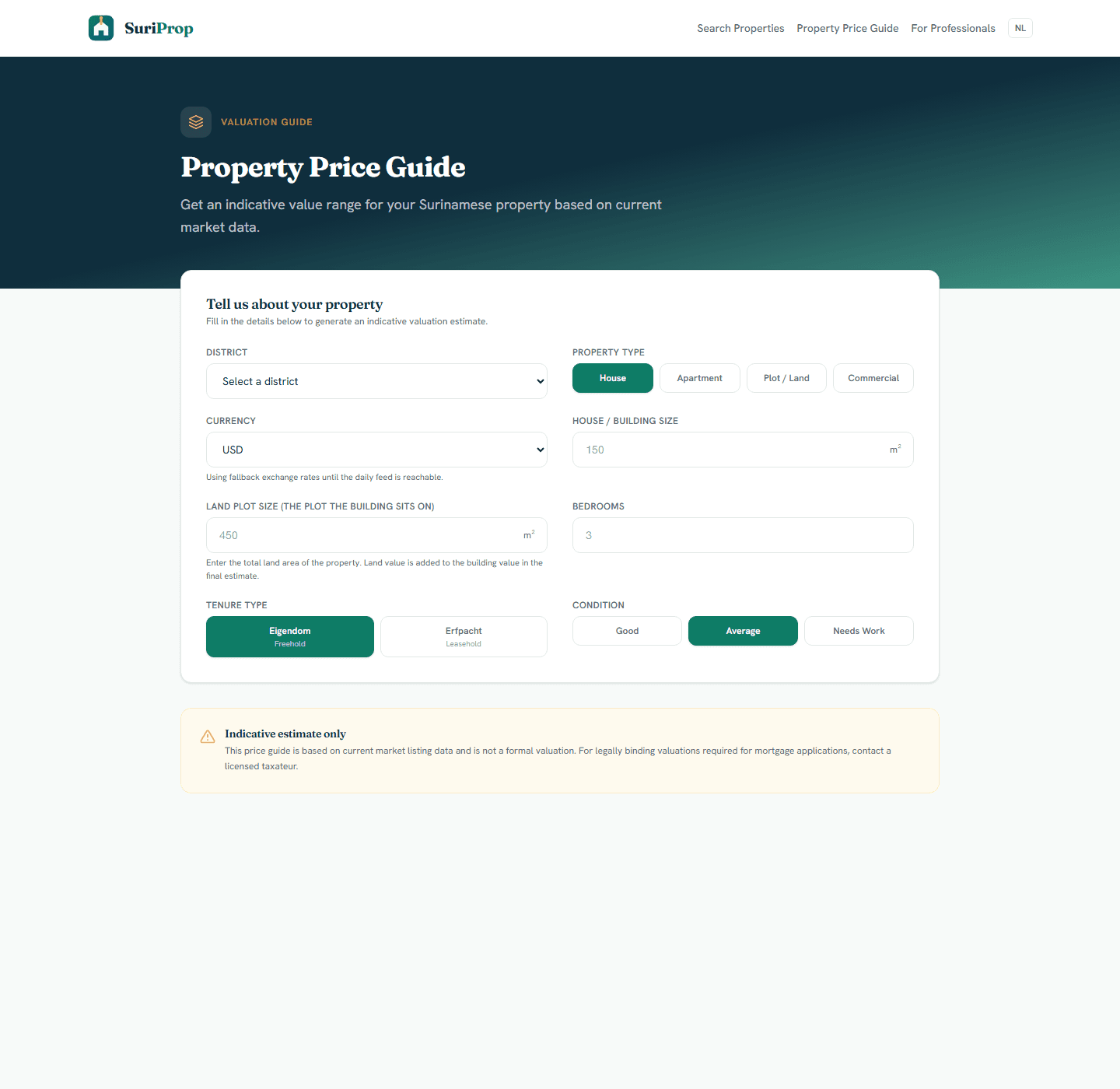
Actual valuation tool with currency selection, house size, land size, tenure, condition, and exchange-rate context.

Buyer price and financing tools

Understand value and affordability before an offer

House plus land estimate

Added

The tool separates building size from land plot size so a house is valued as a house-and-land package.

Currency choice

Live

Buyers can select USD, EUR, or SRD with exchange-rate context instead of guessing conversion manually.

Offer readiness

Connected

The buyer can move from price guide to financing preview before using the deal-room offer flow.

Actual app screen
Preview offer-to-closing structure
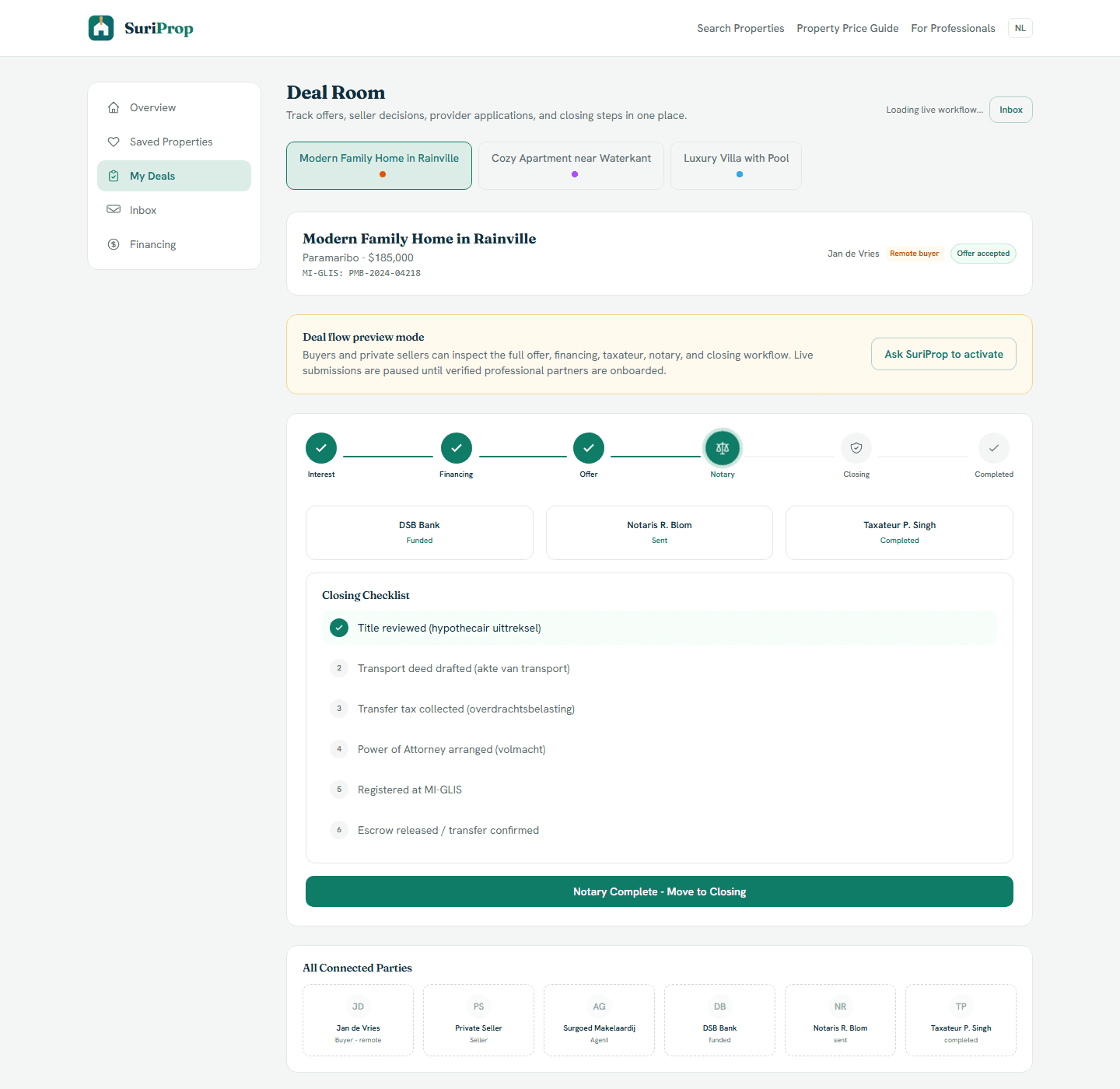
Actual deal room screen showing preview lock, offer stages, financing, taxateur, notary, inbox, and closing structure.

Buyer deal room

Preview offer-to-closing structure

Offer path

Preview

The buyer sees the formal offer stage, seller response window, financing status, and next unlocks.

Provider visibility

Gated

Bank, taxateur, and notary handoffs are visible and become available on eligible active transactions.

Messaging bridge

Designed

Once active, messages stay connected to the relevant party and deal instead of splitting across WhatsApp or email.

What the dashboard gives you

Free buyer account for saved properties, enquiries, and deal-room preview.

Search by district, price, property type, beds, and listing type.

Valuation tool with house-size and land-size inputs plus currency conversion support.

Financing preview to see what banks will likely ask for before a live application.

Inbox-style messages tied to a listing or deal instead of loose conversations.

Connected workflow

How the screens connect

1

Search and compare real inventory

Buyers can narrow by district, property type, listing type, price, bedrooms, and public listing status.

2

Inspect a property before contacting anyone

The detail page combines price, location, bedrooms, bathrooms, area, description, map, and listed-by context.

3

Understand value and affordability before an offer

The tool separates building size from land plot size so a house is valued as a house-and-land package.

4

Preview offer-to-closing structure

The buyer sees the formal offer stage, seller response window, financing status, and next unlocks.

Core deal-room structure

The full transaction flow is preview-gated for buyers and sellers until a transaction is eligible, but these are the shared deal surfaces every stakeholder connects into.

Actual app screen
Deal room
Deal room
Actual deal room screen showing preview lock, offer stages, financing, taxateur, notary, inbox, and closing structure.
Actual app screen
Financing hub
Financing hub
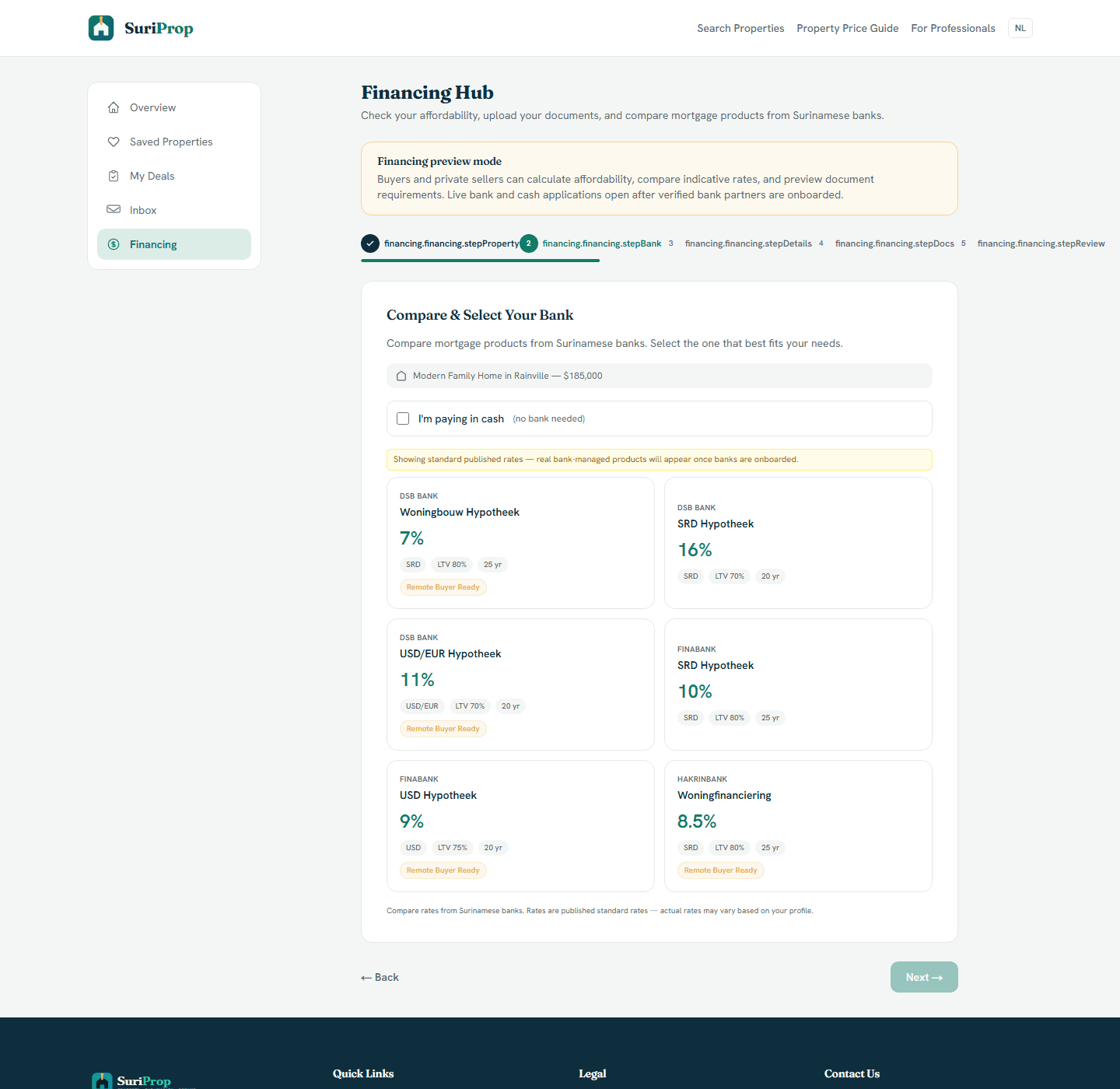
Actual financing hub where buyers compare bank products and prepare affordability information before a live handoff.
Actual app screen
Inbox
Inbox
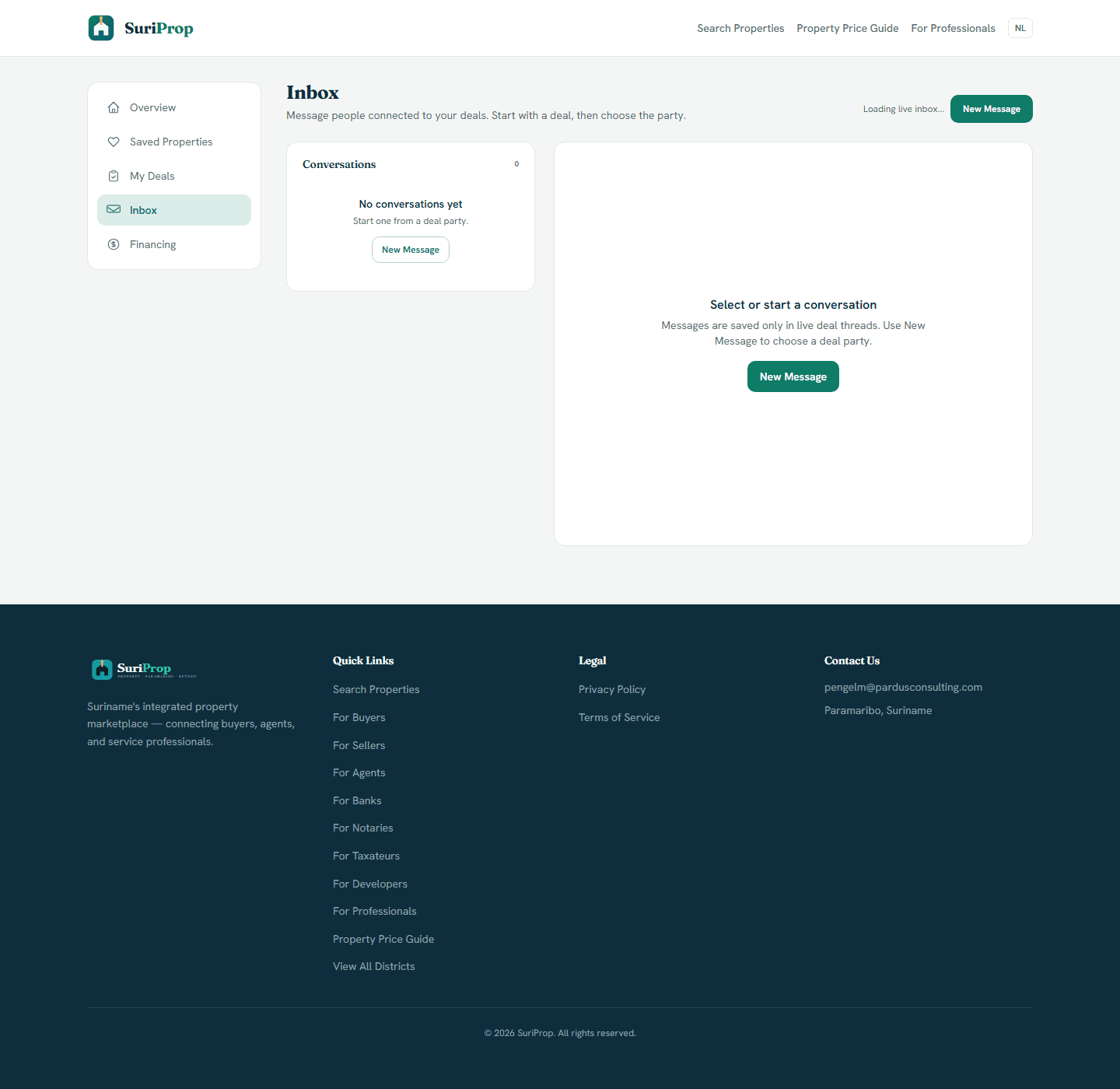
Actual inbox screen for deal-tied messages and party follow-up.

The flow

1

Search listings and save the homes or plots you want to compare.

2

Use valuation and financing preview tools to understand price and readiness.

3

Contact the seller or agent and keep the message linked to the property.

4

Use the deal-room preview to understand each step before sending live handoffs on an eligible transaction.

Start as a buyer for free

Buyer access is free so you can search, save, compare, estimate, message, and prepare before taking the next step on a property.

Free marketplace access

Start with the buyer and seller market.

Create an account, search listings, list property, save homes, and preview the deal room while professional handoffs are being activated.

Create free account